Even while these efficiency improvements are a major factor in the trillions of dollars AI could contribute to the world economy, more and more websites are adopting a broader perspective of the technology’s whole influence on the software development process.
Clarity is more important than curiosity if you want AI to benefit your company. Understanding your unique requirements, assessing the appropriate technologies, and making sure your data and procedures are prepared to enable AI-driven success are the first steps in that process. Where do you start, then, to translate AI development efficiency into practical outcomes?
The Role of AI in Speeding Up Development
Businesses may enable product managers (PMs), developers, and their teams to devote more time to high-value work and less time to repetitive activities by incorporating AI in all its forms throughout the whole eCommerce store development life cycle.
They can integrate more reliable data and feedback sources into a new development framework that puts the needs of the client first as part of this significant change. In the end, this comprehensive redesign ought to speed up the procedure, enhance the caliber of the final product, boost customer acceptance and contentment, and encourage more creativity.
It takes time to achieve that ambitious final aim. The eCommerce software lifecycle undergoes a number of changes as a result of AI, each with its own set of adaptation requirements and possible difficulties.
Key bottlenecks in eCommerce projects
The key to successfully integrating AI into eCommerce is strategy, not software fads. You must have a clear understanding of how AI can help you achieve your unique business objectives before making any tool investments. This entails determining the use cases in which personalization, automation, or prediction can produce quantifiable benefits for your company.
Start by asking questions like:
- In what areas of operations, content production, or customer experience are we now experiencing pain points?
- Which tasks include a lot of data, are repetitious, or are prone to errors?
- Which results, conversion rates, inventory accuracy, and campaign ROI, are we aiming to enhance?
Start small after determining possible areas for improvement. Before scaling, you can evaluate outcomes and gain internal confidence by piloting AI in a specific use case, such as automating product descriptions or predicting inventory demand.
Here’s a simple roadmap to get started:
- Examine your business processes. Determine where there are inefficiencies or where predictive insights could help make smarter decisions.
- Give priority to short-term successes. Select use cases (such as chatbots or content automation) that are simple to develop but have a clear return on investment.
- Organize your info. AI is only as good as its underlying data. Make sure all of your product data is organized, centralized, and tidy. A PIM system like Inriver’s can be beneficial.
- Select the appropriate tools. Examine AI technologies that fit your priorities; several include pre-trained models for eCommerce and retail, or plug-and-play integrations.
- Establish standards. Establish success criteria and track first results to improve and expand your AI projects.
Avoid over-engineering your initial AI project. Rather, take use of it as a teaching moment. You’ll be more prepared to integrate AI into other areas of your eCommerce business as you demonstrate its worth in one. These are a few well-liked AI solutions that are useful to eCommerce developers.
Overview of Top AI Tools Used
The theory and creation of computer systems that can carry out tasks that typically require human intelligence, like speech recognition, visual perception, decision-making, and language translation, is known as artificial intelligence (AI).
Since its inception in the 1950s, AI research has advanced significantly. Though this is still several years away, many experts anticipate that true AI will involve machines that can think and behave like humans. While artificial intelligence comes in many forms, machine learning, natural language processing, and computer vision are some of the most well-known. Look at:
- Computers can be taught to understand data using machine learning without explicit programming. It is predicated on the notion that, like people, machines are capable of learning from experience.
- Understanding human language is the focus of the artificial intelligence field of natural language processing. It can be applied to tasks like text summarizing and machine translation.
- Another area of artificial intelligence that focuses on enabling computers to view and understand the world similarly to humans is computer vision. It can be applied to tasks like facial recognition and object recognition.
AI is used in a wide range of sectors. For instance, it is employed in retail to suggest things, healthcare to diagnose illnesses, and finance to trade stocks.
A range of AI eCommerce tools 2025 are being used by developers more and more to improve personalization, expedite processes, and optimize workflows. Vue.ai improves search relevance, creates suggestions, and automates product labeling through the use of computer vision and deep learning. Algolia provides quick, contextually relevant product discovery by utilizing AI-powered search engines.
Persado uses natural language generation to produce automated email campaigns and copy that converts. While Clerk.io uses machine learning and consumer behavior analytics to provide dynamic merchandising and personalized product suggestions, Klevu uses semantic search and natural language processing to improve site search capabilities. View additional tools.
Cursor for code generation
Beyond standard autocomplete, Cursor is an AI-native IDE (integrated development environment). It provides context-aware code generation, refactoring, and real-time debugging by integrating a large language model (LLM) straight into the development process. In contrast to conventional code recommendation engines, Cursor generates code that is in line with your project’s overall architecture by interpreting repository-level context.
When creating product APIs, integrating payment gateways, or setting up headless storefronts, eCommerce developers will benefit from quicker iteration cycles. Additionally, Cursor offers semantic search, which enables programmers to ask natural language questions about codebases, such as “Where is the cart validation logic defined?” For distributed development teams, the tool’s auto-doc generating features expedite onboarding and improve maintainability even more.
ChatGPT for task automation
Although ChatGPT is most recognized as a conversational interface, it has developed into a full-stack eCommerce engineering productivity layer. It serves as an AI co-pilot throughout the whole SDLC by integrating with IDEs, CI/CD pipelines, and project management platforms. It is used by developers to create boilerplate, automate repetitive development operations, and even synthesise documentation from PR descriptions or commit comments.
In more complex configurations, ChatGPT can translate requirements. Cross-functional cooperation between technical and non-technical teams is made possible by ChatGPT’s API connectivity features, which let it synchronize outputs with platforms like Jira, Notion, or Slack. An expedited pipeline that lowers friction between coding and deployment is the end result.
Shopdev.ai for platform optimization
A specific AI package called Shopdev.ai was developed to maximize eCommerce performance across conversion pipelines, infrastructure, and user experience. It optimizes product suggestion algorithms, automates A/B testing, and continuously adjusts storefront performance using a mix of behavioral analytics and machine learning models.
Technically speaking, Shopdev.ai uses APIs to interface with analytics tools, PIM systems, and headless CMSs, enabling developers to implement real-time adaptive personalization without requiring a lot of manual setting. It has the ability to segment audiences based on real-time behavior, forecast customer attrition, and dynamically modify layout elements to optimize engagement.
Benefits of AI Integration
The ability of a computer or machine to learn and carry out tasks that would typically require human intelligence, including as visual perception, natural language processing, and decision-making, is referred to as artificial intelligence (AI).
AI has entered a number of businesses, including eCommerce, in recent years. Compared to conventional eCommerce websites, AI tools in software sites offer several benefits, such as the following:
Increased sales and retention
By collecting and evaluating consumer data to customize your sales funnel, artificial intelligence (AI) makes the sales process more effective. You can send the correct message to the right prospects at the right time if you have more data.
In eCommerce, AI increases client retention and loyalty by providing tailored experiences that appeal to consumers. While chatbots quickly address problems and foster trust, AI systems create customized offers based on data analysis. These initiatives increase brand recognition and long-term profitability by converting one-time customers into devoted ones.
Better and more personalized customer service
AI measures consumer interactions by analyzing large data from various touchpoints and customer feedback. This information can be used to provide a smooth omnichannel client experience.
By gathering consumer information, you can determine their preferences and develop offers that will motivate them to buy. Virtual sales associates have been used by brands, increasing average order values and conversion rates.
Reallocation of time and resources
Tasks and procedures including emailing, order fulfillment, customer support, and payment processing are all automated by AI. By lowering labor expenses and increasing operational effectiveness, automation frees up more time for innovation and less time for maintenance.
According to McKinsey, biopharma companies that used AI witnessed a 20% to 30% reduction in planner burden and a 15% boost in forecast accuracy.
Final Thoughts
Through the automation of tedious processes, workflow optimization, and the facilitation of data-driven decision-making across the software lifecycle, AI-powered solutions are revolutionizing eCommerce development. Teams may raise conversion rates, save development time, enhance code quality, and provide individualized client experiences at scale by incorporating these AI tools in software.

In order to future-proof your online store and boost growth and AI development efficiency, collaborate with Stellar Soft to apply AI-driven development tactics. To begin converting your ecosystem for digital commerce, get in touch with us right now.
What general strategies and best practices can you employ to enhance your eCommerce website’s SEO performance? You should be aware that although using AI technologies for SEO can assist in automating and expediting processes like content creation, keyword research, and website schema, it is also altering how users perceive search results.
More sales, more visitors. Utilize these essential eCommerce SEO development strategies to increase online visibility for your company and its goods.
Why SEO Must Start from Day One
Enhancing your website to rank better on search engines like Google is known as SEO. When executed properly, it makes your website more visible in search results when prospective clients are looking for goods or services similar to yours. Additionally, the following justifies giving SEO best practices eCommerce priority right away:
| Cost-Effectiveness | The fact that SEO is less expensive than other digital marketing strategies, such as pay-per-click advertising, is among its most important advantages. Effective SEO offers long-term benefits, unlike advertisements that cease to generate traffic after your budget has been depleted. You don’t have to pay for each click if your website starts to rank well. |
| Long-Term Growth | SEO is not a sprint but a marathon. Building momentum takes time, but the benefits make the wait worthwhile. By making an initial investment in SEO, you’re setting the stage for long-term success and guaranteeing that your company expands gradually over time. |
| Building Credibility | Users tend to view websites that rank highly in search engine results as more reliable. Increased client trust can result from your website gaining authority and reputation in your industry thanks to effective SEO. |
| Competitive Advantage | Startups that prioritize SEO early on can outperform rivals, even though some may put it off because they don’t think it’s urgent. You may increase your visibility, traffic, and eventually your customer base by ranking higher in search results. |

On-Page SEO Best Practices
The process of optimizing webpage content for search engines, AI platforms and LLMs, and users is called “on-page SEO,” or “on-site SEO.” Optimizing title tags, content, internal links, URLs, and other ranking elements are examples of common on-page SEO techniques.
Off-page SEO, or optimizing for signals that occur off of your website, is not the same as this. Digital PR, social media marketing, guest posting, and backlink building are a few examples of off-page SEO strategies. Take into account the following when taking SEO.
Titles and meta descriptions
To guarantee that your title tag fills the entire search engine results page, keep it between 50 and 60 characters long. It is also essential to include your target keyword here, since it informs search engines of the primary focus of the content and improves keyword ranks.
Similar to email subject lines and preview texts, your meta description should expand upon the title tag. Make an effort to provide an interesting synopsis of the information on your page.
Product descriptions and keywords
It’s simple to use too many terms; in this instance, more isn’t always better. The quality of the user experience is frequently lowered by keyword stuffing, which makes a potential customer leave. Google’s algorithms are more complex than ever, and the average length of a user’s session matters as well.
Strategically placing your target keyword throughout descriptions is more crucial for eCommerce SEO than sprinkling keywords on your sites at random and running the risk of overburdening customers with material.
Technical SEO Essentials
Technical SEO: What is it? The practice of improving your website’s more technical elements for higher search engine results page (SERP) ranks is known as technical SEO. It may entail making adjustments like speeding up pages and improving crawlability and indexing, among other things.
Search engines could not even be aware that your page exists if your website doesn’t match their technical standards, or they might not think that users would have a positive experience on your site.
Site speed and mobile performance
Due to Core Web Vitals standards and search engines’ mobile-first crawling, it is imperative to optimize site speed and mobile performance. Important procedures consist of:
- Server Optimization: Make use of cache techniques, enable compression, and use fast hosting.
- Asset Management: Use content delivery networks (CDNs), compress pictures, and minimize the amount of JavaScript and CSS.
- Track performance indicators like Cumulative Layout Shift (CLS), First Input Delay (FID), and Largest Contentful Paint (LCP) to find bottlenecks.
In addition to improving Core Web Vitals indicators, improving mobile performance and site speed significantly lowers bounce rates and boosts user engagement. Fast, responsive, and reliable pages are essential for eCommerce success since they have a direct impact on SEO results and overall site conversions.
Structured data and schema
Rich results and increased visibility are made possible by structured data, which aids search engines in understanding the context of your material. Among the best practices are:
- Implementation of JSON-LD or Microdata: Use schema markup for events, reviews, products, and frequently asked questions.
- Validation and Testing: To guarantee correct implementation, use Schema Markup Validator or Google’s Rich Results Test.
- Consistent Data Integration: For accuracy, synchronize structured data with CMS content, product feeds, and other eCommerce platforms.
When structured data and schema are used correctly, search engines will understand your material correctly, which can improve SERP features and click-through rates. A scalable framework for upcoming content and product expansions is provided by consistent, validated markup, which also improves visibility and supports rich results.
Launch Checklist for eCommerce SEO
We’ll outline the same checklist we employ below to help eCommerce websites rank highly in search results. By the end, you’ll have the resources necessary to surpass your rivals and provide quantifiable outcomes. You always have an option to check out our SEO service.
1. URL and Site Architecture
Your pages will rank higher in search results if your site is well-designed and has meaningful URLs. In order to locate pages and store them in its index (database), Google frequently uses internal links. Only if your pages are in Google’s index will they rank and finally generate traffic.
What are the best site architecture and URL optimization practices follows:
- Designing a logical category/subcategory hierarchy.
- Using human-readable URLs (/category/product-name/).
- Setting canonical tags or 301s to avoid duplicates (/shoes/ vs /shoes?page=1).
An orderly structure makes it easier for Google to find new sites to index and follow internal links. Additionally, it stops orphan pages—pages that don’t have any internal links referring back to them. It can be challenging for Google to find and index orphan pages.
2. Reducing Duplicate Content
Content on one website that is identical or similar to content on another website, either from the same website or from a different website, is known as duplicate content.
For instance, using same language on many product pages on your eCommerce website may have a detrimental impact on how search engines perceive your website.
What can you do is to:
- Add canonical tags sitewide.
- Use hreflang for multilingual stores.
- Block technical or dynamic URLs in robots.txt.
- Maintain clean sitemap.xml with preferred versions only.
Both users and search engines find it difficult to determine which web page is the most authoritative and pertinent to their search query when several pages with very identical content show up on a search engine results page.
3. Filters and Sorting
We can choose a collection that significantly satisfies our expectations by using the product filtering feature to reduce the number of alternatives. With that many products, it would be a nightmare to browse without filtering, which would lead to shopping cart abandonment. Why?
Look at these strategies:
- Implementing filters for UX (price, brand, color) without creating SEO bloat.
- Using nofollow or canonical to base category (/shoes?color=red → /shoes/).
- Indexing only key combinations worth ranking.
A tool for identifying products based on predetermined criteria is filtering. Conversely, sorting arranges a collection based on a specific criterion, such price or alphabetical order.
4. Indexing and Crawl Budget
Googlebot determines a crawl capacity limit, the maximum number of concurrent parallel connections it can employ to crawl a website, as well as the interval between fetches in order to avoid server overload. This is designed such that all of your vital material is covered without putting too much strain on your servers.
Strategies to implement to manage indexing and crawl budget are:
- Adding noindex to cart, checkout, and account pages.
- Applying correct HTTP codes (301, 302, 410).
- Rendering key content server-side; lazy load only non-critical assets.
You can use a free tool like Screaming Frog Log File Analyser to examine your log files, which are automatically generated catalogs of your site’s usage history, or you can check crawl behavior in Google Search Console’s crawl data report.
5. Core Web Vitals Optimization
Core Web Vitals uses measures like page loading times to evaluate the performance of websites. It is noteworthy that a little one-second delay in page load times can result in a notable 20% decrease in a website’s conversion rates.
Almost everyone may already be using performance best practices that have a significant impact.
Implement web performance optimizations that focuses on:
- Preloading critical CSS.
- Use font-displaying: swap.
- Defining image dimensions to prevent CLS.
- Lazy-load below-the-fold media; compress and serve in modern formats.
Take into consideration: The Field Data report includes the Core Web Vitals assessment. Additionally, PageSpeed Insights’ Diagnostics section offers helpful details on factors influencing each of the three Core Web Vitals indicators.
6. JavaScript and SEO
More JavaScript is being sent by websites than ever before, and this trend doesn’t seem to be slowing down. An environment where jobs vie for the main thread’s attention is created when too much JavaScript is shipped. The responsiveness of your website may suffer as a result, particularly during that critical initial phase.
However, this is not an unsolvable problem, and you have options:
- Enable SSR or hybrid rendering (Next.js, Nuxt).
- Expose all product data server-side.
- Ensure pages are usable without JS (progressive enhancement).
Google does not advise dynamic rendering as a solution; it is merely a workaround. It adds needless complexity and resources to Google’s operations. If you have a big website with information that changes frequently and needs to be indexed quickly, you might want to think about employing dynamic rendering.
7. Structured Data
IThe structured data markup must represent the page content and contain information that is accessible to the user in order for structured data to be useful and recognized by search engines, particularly Google. Although there are several methods for implementing structured data markup on a page, JSON-LD is the standard that is advised.
It’s recommended to:
- Add JSON-LD for products, offers, breadcrumbs, and reviews.
- Auto-generate schema from CMS or DB.
- Validate with Google’s Rich Results Test.
There are other methods, including microdata, microformats, and RDFA, but these alternatives are mixed in with content shown to users which can complicate the goals of expressing data to search engines and providing a top-notch user experience.
The alternatives, such as microformats, are similar to adding subtitles or transcribing text and concealing it in HTML so that Google can extract and interpret it.
8. Infrastructure and Security
Because it guarantees user data protection, which is a top concern for Google, cybersecurity is crucial for SEO. Websites include a great deal of sensitive data, including corporate and consumer information, which hackers might steal. Serious consequences, such as identity theft or financial loss, could arise from such breaches.
The best practices are:
- Forcing HTTPS with 301 redirects.
- Enabling HTTP/2 or HTTP/3.
- Configuring CDN and cache headers for faster delivery.
Protecting customer data from unauthorized access can be achieved by putting robust cybersecurity measures in place, such as firewalls and encryption. A secure HTTPS connection requires the acquisition of an SSL certificate, which is something that many web hosts provide.
9. DevOps and CI/CD SEO
Through its ability to facilitate cooperation and communication amongst firm executives, designers, marketers, developers, and other specialists participating in the development process, the DevOps technique has an impact on the entire suite of web development processes.
Use these strategies:
- Integrate SEO checks in CI/CD (meta, schema, speed).
- Monitor crawl logs to see what Googlebot indexes.
- Automate Lighthouse and Screaming Frog reports on deployment.
The foundation of DevOps methods are CI/CD pipelines, which allow for the accurate and agile updating of websites and applications. Beyond the benefits of internal development, however, they are also crucial in SEO, a field that is very important to both developers and marketers.
10. Integrations and API
Choosing the appropriate APIs and establishing your business objectives should be your first steps. Make sure your APIs adhere to data protection best practices and industry requirements.
Follow these strategies:
- Sync titles, metas, and schema via CMS/ERP APIs.
- Support bulk SEO updates through admin endpoints.
- Invalidate caches on product or meta changes.
When searching for APIs, you might take into account things like functionality, security, simplicity of use, and upfront and hidden fees. To make sure the API is dependable and meets your demands, it is advised that you read reviews and try out the free plans that are offered.
Measuring and Tracking SEO Success
To see how your professional SEO for eCommerce efforts results in visibility, you must monitor your keyword rankings. You can track how well your primary and secondary keywords are performing over time with tools like Semrush, Ahrefs, and Moz.
If you observe a decline in rankings for a crucial keyword, for instance, look into possible reasons such as heightened competition, out-of-date material, or technological difficulties. Resolve these issues by improving page speed, creating new backlinks, or updating content.
Conclusion
From original creation to post-launch optimization, professional-grade SEO for eCommerce is a multi-layered approach. Using a thorough SEO checklist at launch guarantees that every product, category, and page is optimized for search engines and consumers alike.
Building and implementing eCommerce SEO strategies that produce quantifiable outcomes is our area of expertise at Stellar Soft. Follow us for professional advice, doable tips, and cutting-edge methods to improve the search engine optimization of your online store going forward.
FAQ
What is professional-grade SEO for eCommerce?
Optimizing the site’s architecture, content, and technological components is part of professional-grade SEO for eCommerce to increase search engine exposure and attract targeted traffic. To guarantee long-lasting rankings, it incorporates structured data, keyword targeting, backlink tactics, and continuous performance evaluation.
Which technical SEO practices matter most?
Site speed optimization, mobile responsiveness, secure HTTPS implementation, structured data markup, and appropriate URL hierarchy are all essential technical SEO techniques. For search engines to properly process your store, crawlability and indexability through XML sitemaps and robots.txt setup are also crucial.
Should SEO start during development or after launch?
To guarantee that site architecture, metadata, and schema markup are optimized from the beginning, eCommerce SEO development should be incorporated into the creation stage.
How to improve product page SEO?
Product page optimization calls for structured data for rich snippets, original, keyword-rich titles and descriptions, and excellent photos with alt text. User-generated content, reviews, and internal links can all increase relevancy and enhance organic search results.
You must choose which services your resource will use and take into account different 3rd-party API integrations during the development phase. What and how are you going to streamline or optimize your eCommerce functionality? The work is difficult and necessitates careful consideration.
Understanding 3rd-Party API Integrations
By using APIs to link two or more applications, 3rd-party API integrations allow systems to share data sources. API integration enables data synchronization and productivity gains, creating conditions for revenue growth across different organizational levels.
APIs facilitate communication between many systems, creating an integrated network that exchanges data with ease. This procedure not only facilitates a natural division between your front-end and back-end processes, but it also allows data to be shared across various systems that support the smooth functioning of your company.
Why APIs Are Critical for eCommerce Success
With a variety of features, eCommerce functionality, and services, online marketplaces like Amazon, eBay, and Etsy give customers a full virtual shopping experience. Additionally, many eCommerce businesses rely on integrations with external service providers (e.g., shipping companies, payment gateways, or marketing platforms) to connect their systems to marketplaces and extend functionality.
API integrations eCommerce systems not only enhance the customer experience but also facilitate the marketplace administrator’s management and marketing of the eCommerce enterprise, contributing to the expansion of their enterprise. It enables the business to maintain a website while concentrating on its primary competencies.
Types of eCommerce API Integrations
A crucial component that allows for instantaneous data flow across systems is real-time updates. Applications that need real-time information, like social media monitoring tools or financial trading platforms, need this feature. Applications can improve user engagement and deliver timely insights by incorporating real-time update APIs.
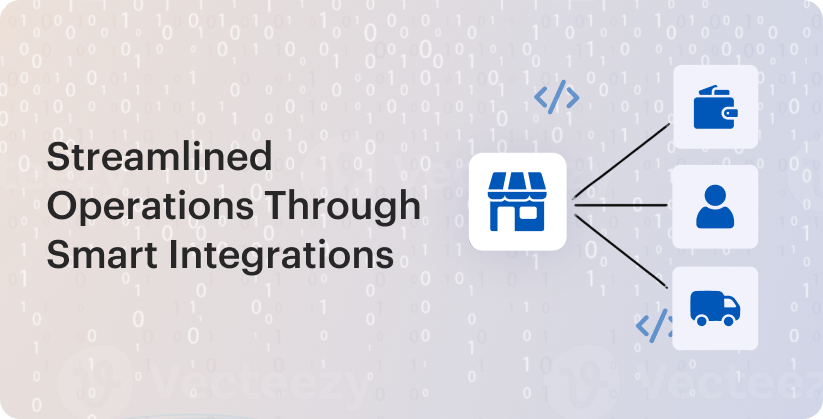
Payment and checkout
An eCommerce site’s objective is to generate revenue for you. It implies that the consumer ought to be able to pay promptly and securely. As a result, the online store needs a trustworthy payment gateway. Third-party software must be integrated in order to connect it.
The buyer receives an invoice to pay after making an order at the online store. The customer is being sent to this system (or, more accurately, to its online page) and order data are being passed to the selected payment service. The consumer can choose his preferred method of payment here. Naturally, he must also enter all of the needed data.
CRM and marketing
In order to create enduring relationships and encourage repeat business, a flawless client experience is essential. In order to improve consumer data synchronization across multiple platforms and systems, API connectivity is crucial.
A unified customer profile can be created by automatically syncing customer data, including order history, preferences, and payment methods, through API connections that connect your CRM systems and eCommerce platform.
Businesses can leverage client data to customize the buying experience by integrating APIs. For example, you can use a customer’s browsing and purchase history to provide personalized product recommendations, promotions, and recommendations.
Logistics and shipping
Any eCommerce business eventually realizes how important it is to automate both stock balancing and product management. The issue is particularly severe when there is a wide variety of products available. You must therefore link your inventory to the online marketplace at that same moment. Stated differently, you need to choose a trustworthy eCommerce inventory management solution.
Marketplace owners can automate the shipping process from the point of sale to the customer’s package delivery with the help of a shipping API. From the first sale to the final delivery and all points in between, this covers it all. Additionally, it can be used to automatically create labels and packaging bills.
Using the shipping API, you may choose from a range of carriers according to their location, pricing, and delivery time. Shipment tracking is another feature of this kind of API. Order tracking information can be sent by email or text message, and it can be integrated into a website or mobile application.
Benefits of Custom API Development
Since APIs are the backbone of eCommerce custom development, it is crucial to comprehend them before creating a marketplace. Here are a few advantages of integrating APIs:
| 1. Automation | Most businesses require process automation to reduce manual operations. APIs make this possible by enabling seamless data exchange between systems. For example, it’s done by synchronizing orders, inventory, and shipping data with logistics automation. |
| 2. Increased Security | APIs can be designed with built-in security features, such as authentication, authorization, rate limiting, and encryption. This creates an additional abstraction layer between systems, reducing direct exposure of backend services and lowering the risk of breaches. |
| 3. Better Customer Experience | You may create a smooth and easy customer experience by connecting your different systems with an API. Customers are unaware that they are interacting with several platforms connected via an API when they utilize a system. They only see chances and capabilities that are quick and simple to obtain from the market. |
| 4. Scalability | Scalability is the capacity to grow and change as your present system does. This means you can extend and scale your eCommerce ecosystem without rewriting the core system. For example, you can add new payment methods, marketing platforms, or analytics tools via APIs, keeping the underlying architecture intact. |
Real-World Examples
These days, most Shopify custom development works as nodes inside a larger digital commerce ecosystem rather than as standalone stores. Shopify merchants may automate operational procedures, create bidirectional data flows, and guarantee system compatibility across finance, logistics, customer engagement, and enterprise resource management by integrating third-party APIs. Common use scenarios consist of:
- Payment Gateways: Shopify supports tokenized transactions, multi-currency processing, and safe payment flows that comply with PCI DSS by integrating with the Stripe and PayPal APIs.
- Shipping and Fulfillment: Real-time webhook-driven order status updates, automated label creation, and rate fetching are made possible by direct API connections with UPS, FedEx, and ShipStation.
- CRM Systems and Customer Data: For segmentation, event-driven marketing automation, and lifecycle tracking, HubSpot and Klaviyo integrations make use of Shopify’s customer and order data APIs.
- Customer Service: By integrating Zendesk and Gorgias, support processes may access contextual order history via Shopify APIs, facilitating quicker resolution through unified agent dashboards.
By integrating Shopify into an API integrations eCommerce ecosystem or service-oriented architecture (SOA), businesses may minimize operational silos and maximize end-to-end data fidelity. In order to match enterprise-grade scalability, compliance, and customer experience objectives with commerce infrastructure, Stellar Soft designs and implements customized Shopify ERP integration strategies.
Conclusion
eCommerce connectors enhance the eCommerce functionality of an online marketplace in a number of ways. The eCommerce marketplace is a strong tool that you may use to onboard vendors and draw clients to your marketplace because they automate most of the procedures. A successful eCommerce business can be built on a solid foundation of enhanced functionality.
Do you need assistance? To find out more about potential solutions, get in touch with the Stellar Soft team.
FAQ
What are the benefits of 3rd-party API integrations?
Third-party API interfaces link external systems such as payment gateways, CRMs, and ERP integration to a store’s inherent capabilities. They offer real-time data synchronization, workflow automation, and decreased manual intervention between platforms.
Which APIs are most popular in eCommerce?
Payment APIs (Stripe, PayPal), shipping APIs (UPS, FedEx), and marketing APIs (Meta Ads, Google Analytics) are frequently utilized in eCommerce. In order to streamline corporate processes, ERP/CRM APIs such as Salesforce and HubSpot are also extensively connected.
Are custom API integrations expensive?
The cost varies according to complexity: bespoke, large-scale integrations that need middleware or intensive error handling are more costly than basic API connections. Long-term costs are further increased by ongoing security monitoring, scaling, and maintenance.
How do APIs improve customer experience?
Real-time inventory insight, customized product suggestions, and expedited order tracking are just a few of the smooth services made possible by APIs. This facilitates the shopping process and fosters confidence by providing precise and timely information.
With mobile shopping becoming more and more common, consumers feel more at ease making purchases straight from their phones these days. In terms of user experience (UX), optimizing Shopify mobile speed needs to be one of your first concerns if you want to increase revenue. The following are the main reasons why:
- A significant portion of eCommerce revenues will come from mobile shopping, which is expected to reach $856 billion in the US market by 2027 [1].
- According to recent research, roughly 76% of respondents have used their phones to make transactions [2].
Except fast load speed, ensure all the UX assets driving conversions are consistent across your website: effortless navigation, high readability scores, and adaptive interface elements. This article offers advice on how to make a mobile-first design and how to give users an experience that is on par with desktop ones.
Importance of Mobile-First Design in eCommerce
Mobile-first design entails tailoring your site for mobile devices exclusively before creating a desktop version. It’s particularly significant during the initial stages of development [3].
The user experience is improved with touch-friendly interfaces – they make navigating easy and intuitive. In order to avoid unintentional clicks, buttons must be in size enough to comfortably tap and there must be space between clickable objects.
Clear navigation and clearly accessible menus are essential. Adding features: “back-to-top” buttons or sticky navigation bars can make it easier for people to navigate the website. Whatever device your customers use (e.g., tablet, phone, or desktop), they’re used to scrolling through products that they can access on any device. However, that is not all.
Mobile Responsive vs Mobile-First Design: What’s the Difference?
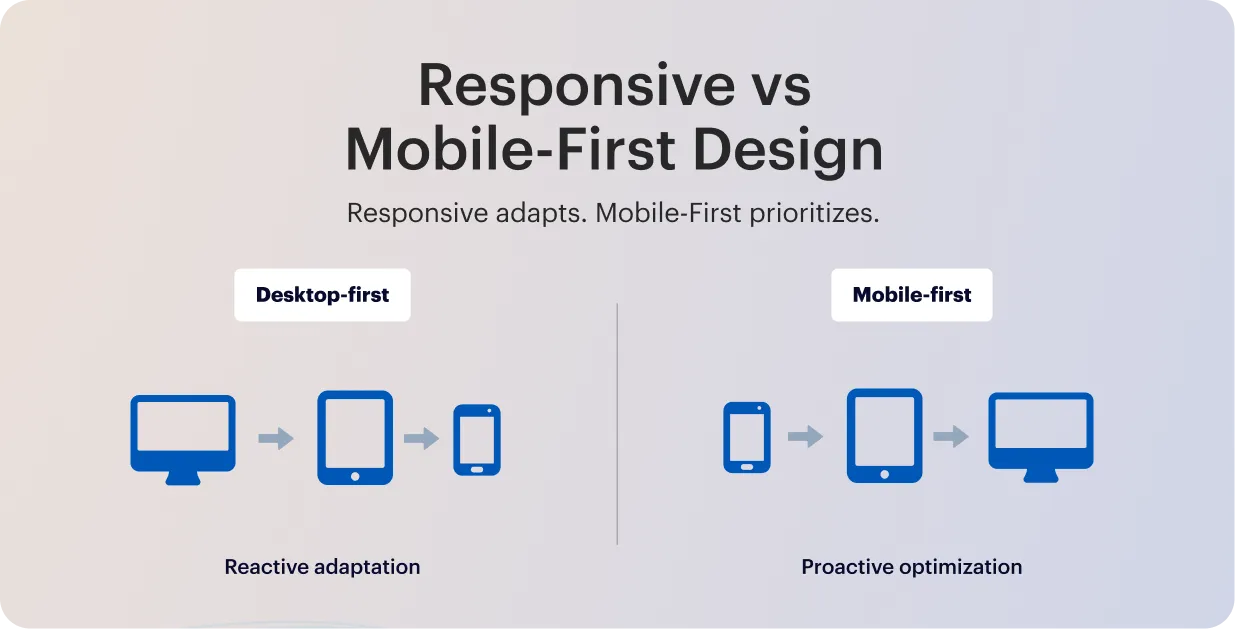
The primary distinction between mobile-first and responsive web design is how the designer approaches the website. Reactive by purpose, a responsive site adapts to different devices flawlessly. When the desktop and mobile sites are created simultaneously, with proactive design optimization made to ensure the mobile experience is as responsive as the desktop.
The problem with mobile responsive design is that it only reformats the same content to fit any kind of device; it is not adequately optimized for mobile. This is helpful, sure, it may lead to an imbalance in solid desktop sites and unwieldy mobile versions. It’s implied by the fact that responsiveness typically begins with the desktop and then adapts it to other devices.
From here graceful degradation stands in stark contrast to progressive enhancement. This is the more popular approach of beginning with the more sophisticated desktop version and then removing features to make it compatible with less sophisticated browsers, like mobile.
Following the route of progressive enhancement and at the same time committing to mobile-first design seems reasonable given how encouraging mobile is becoming.
Why to Prioritize Cross-Device Navigation?
The user experience is significantly improved by a well-designed navigation panel, which makes it simple for users to locate the precise information they require. Users can access content or items more quickly when navigation is clear and organized, which lowers bounce rates.
If users can easily find what they’re looking for, they’re more likely to stay on the site, do more exploring, and possibly become customers. Improved cross-device usability, more time spent on the site, and higher conversion rates are all results of a simple, intuitive navigation system.
To create a seamless experience for all-device users, ensure the following:
- Intuitive layout: To make it easy for customers to locate what they’re looking for, keep the menu straightforward with distinct labels and well-organized sections.
- Positioning: To ensure that users know where to find the menu on each page, place it consistently, usually at the top or side.
- Responsiveness: Combine tappable elements with scrollable information, and use dropdowns or a hamburger menu for mobile views to keep users interested and prevent them from leaving during navigation.
- Accessible design: For seamless surfing, including keyboard navigation and screen readers, ensure your menu complies with WCAG and the European Accessibility Act.
To summarize, cross-device users should only need to tap to access the navigation bar when perusing or contrasting several products. Every device and screen size should be able to use the navigation bar without any issues.
Benefits of Mobile-First Approach
Since the majority of consumers are dependent on their mobile devices, it should be obvious to embrace the mobile-first mindset. Even still, there are certain restrictions and warnings, so not all designers are inclined to use this strategy. We’ll go over the benefits of this design approach next, so you can decide for yourself whether or not to implement mobile design.
| Improved user experience (UX) | Only essential features and information are included when you follow the mobile-first design methodology. Users may navigate with ease and quickly locate what they’re seeking thanks to this. These choices are aided by a keen understanding of user experience design, which guarantees a seamless and simple experience for smartphone users. |
| Simplified building process | It’s simpler to add more functionality to the desktop version once you have a lean version. When constructing an eCommerce store, for example, you will begin by creating a basic mobile version. After that, you can add more functionality to the tablet and desktop versions. |
| Less bugs, smoother workflow | Less code is needed for mobile versions of websites, which means there are fewer bugs. More issues could arise if developers start with a complicated and code-heavy project and then cut back on the amount of code. You may more quickly prevent and identify issues by concentrating on the mobile experience. |
| Broader user reach and accessibility | You can outperform your conservative competitors by adopting design for tiny screens early on. Additionally, you can reach a wider audience. Most customers are more inclined to look at new stores from various screens. This implies that your brand automatically becomes more approachable. |
| Search-engine friendliness | Websites that are mobile-friendly are ranked higher in search results by major search engines like Google. This enables them to provide mobile-friendly and mobile-screen-optimized sites to their mobile users. |
SEO advantages
Search algorithms look at the mobile version of your website when determining where to place you in search results because they use mobile-first indexing. Even if your content is excellent, your SEO will suffer if your Shopify store design isn’t mobile-friendly.
Designing for mobile first benefits tiny brands:
- Boost page speed, which affects Google ranking.
- Improve metrics for user engagement
- Boost exposure on mobile searches
Users stay on your site longer when it loads faster and is easier to navigate, and Google interprets this as an indication of quality. You should consider cross-device compatibility.
Conversion optimization
Any eCommerce store’s objective is to turn visitors into customers. Here, mobile-first design is crucial. Without having to zoom in or become irritated by sluggish buttons, it makes it simpler for consumers to finish tasks like adding things to their cart or checking out.
Shopify research indicates that mobile-optimized stores have greater mobile conversions than non-mobile-optimized ones. Every sale matters for tiny brands. Over time, a minor enhancement in mobile usability can result in a significant rise in revenue.
How to Implement Mobile-First Design in Shopify
A responsive Shopify design offers a smooth shopping experience by dynamically modifying your store’s layout according to the device being used. When creating your next digital product, use these best practices for mobile-first design.
1. Find a mobile-responsive theme
The first step in developing a store that prioritizes mobile devices is choosing a mobile UX Shopify theme that is responsive to mobile devices. Shopify has a number of themes that are optimized to look fantastic on desktop and mobile devices. Keep the following in mind when selecting a theme:
- Quickness of Response: A theme should be able to adapt to various screen sizes without losing functionality.
- Options for Customisation: Seek themes that let you alter layouts, fonts, and colours to reflect your own style.
- Customer Evaluations: To evaluate the functionality and performance of the theme, look through user reviews and ratings.
To locate a theme that works for you, go to the Shopify Theme Store and utilize the filters to only see themes that are responsive to mobile devices.
2. Avoid pop-ups or banners to advertise
Do you fear white spaces? Compared to a congested mobile site, it’s a safer option. When used properly, white space may highlight things or serve as a guide for users. To contrast your white space, use dynamic graphics and vibrant, vivid colors. This will contribute to a clear, simple, and navigable website.
Pop-ups and banners should be avoided while creating mobile-friendly websites. This is because they occupy a significant amount of valuable screen real estate on mobile devices.
Additionally, pop-ups and advertising make it exceedingly hard for customers to use your product. It may cause disturbances and raise your bounce rate. If your website uses obtrusive pop-ups on mobile devices, search engines like Google may punish it.
3. Focus on speed and performance
Page load time is an important aspect in user experience and SEO. Mobile customers are constantly on the move and may abandon a site that takes too long to load. Here is how to improve your store’s speed:
- Optimize Images: Compress photographs to minimize file size without compromising quality. To further enhance download times, choose the suitable image format (JPEG for photographs, PNG for graphics).
- Minimize Apps: Each app you add might cause your site to slow down. Evaluate your installed apps and eliminate those that you don’t require.
- Using a Content Delivery Network (CDN): Shopify makes use of CDNs to speed up content delivery. Make sure that your store is using this feature to boost performance.
Also consider that too many redirects can slow down your site. Keep them to a minimum to enhance loading speed.
Mobile page load times may be greatly reduced by using additional strategies like code minification, lazy loading, and image optimization. Google offers data and suggestions for enhancing website performance through its PageSpeed data and Lighthouse products.
4. Design for touch interactions
Unlike desktop users, mobile users generally utilize touch to engage with websites. Keep the following touch-related factors in mind while creating your Shopify store:
- Button Size: Make sure the buttons are big enough for a finger to tap them effortlessly. A minimum size of 44 by 44 pixels is advised.
- Spacing: To avoid unintentional clicks, leave enough space between buttons and links.
- Vertical Scrolling: Scrolling vertically is a habit among mobile users. Instead of requiring horizontal scrolling, stack items in your layout to capitalize on this.
Must to try: Place finding menus and important buttons near the bottom of your website to provide a touch of simplicity.
5. Use clear Calls-to-Action (CTAs)
Customers are guided throughout your business by effective CTAs, which also encourage them to do certain activities, such as adding items to their cart or signing up for your newsletter. To create compelling CTAs:
- Remain Concise and Action-Oriented: “Shop Now,” “Add to Cart,” or “Subscribe Today” are examples of clear, practical marketing language.
- Use Vibrant Colors: To draw attention to your calls to action, choose colors that contrast with the rest of your design. This encourages clicks and generates attention.
- Strategic Position CTAs: Your calls to action (CTAs) should be placed in prominent areas of your website or at the end of product descriptions, where customers are likely to see them.
Without using a mouse, scroll effects and hover control are really useless. Choose simple methods to provide this information instead, such as arrows or directional messages.
Testing Your Shopify Layout Across Devices
Make use of data to direct your continuous optimization. Segment the performance by device in Google Analytics or Shopify Analytics. Track metrics like average order value on mobile versus desktop, bounce rate, and mobile conversion rate. Look at where users fall off in the funnel if you observe, for instance, that mobile conversion is much lower. Certain mobile pages may require redesign or speed enhancements if their bounce rates are high.
Here are the key points where continues testing and mobile performance optimization must be attentive:
| Testing for Device Compatibility | Perform thorough testing on a variety of mobile devices, such as tablets and smartphones, with varying screen sizes, operating systems, and browsers. This guarantees that your Shopify store runs efficiently and seems well on a variety of platforms. |
| Usability Testing | Examine how people interact with the mobile interface of your shop to determine how usable it is. Find any usability problems that users may have when browsing or making purchases, such as trouble navigating or completing forms. |
| Performance Testing | Analyze your Shopify store’s responsiveness and speed on mobile devices. To guarantee a quick and smooth user experience, track variables like server response times, page load times, and general responsiveness. |
| A/B Testing | Use A/B testing to compare several iterations of your mobile website, including layout, call-to-action, and checkout procedures. To ascertain which version performs better and iteratively enhances the design, examine conversion rates and user behavior. |
| User Feedback Surveys | Take surveys or feedback forms to directly understand their experiences with your Shopify store on mobile devices. Inquire about ease of navigation, checkout process satisfaction, and any suggestions for improvement. |
By using these tactics, you’ll create a Shopify store that works flawlessly on mobile devices and looks great, increasing customer happiness and possibly increasing sales.

Common Pitfalls to Avoid
When applied to desktop screens, mobile-first web designs may unintentionally impair usability and navigation. Desktop users frequently utilize a mouse and keyboard for navigating, but mobile users are used to swiping and tapping. The precision needed for mouse-based navigation on larger screens might not be easily achieved by the design features intended for touch interactions on mobile devices.
While optimizing for smaller mobile screens enhances accessibility, mobile-first web design may inadvertently compromise functionality and layout displaying on desktops. The root cause lies in the fundamental differences in screen sizes, aspect ratios, and user interaction models, which, if overlooked, limit the overall effectiveness of cross-platform experiences.
Conclusion
The fundamental requirement for eCommerce success is constant despite the rapid changes in global technological trends: providing a first-rate user experience is essential to increasing revenue, customer loyalty, and brand recognition. Your Shopify themes customization with Stellar Soft will be inclusive, grant rapid loads, and assist users in finding what they’re looking for. The best method to accomplish these objectives is to use a mobile-first strategy.
FAQ
Why is mobile-first design important in Shopify stores?
Since mobile devices currently account for the majority of eCommerce visits, mobile-first design guarantees that Shopify storefronts are optimized for the primary traffic source. To minimize friction in the buyer experience, it places a high priority on performance, responsive design, and touch-friendly navigation.
How does mobile-first improve conversions?
Cart abandonment is directly decreased by a mobile-optimized interface, which also avoids layout alterations, speeds up checkout processes, and reduces load times. Conversion rates usually increase noticeably when mobile UX Shopify trends like one-click payments and streamlined forms are followed.
Do all Shopify themes support mobile-first design?
While the majority of contemporary Shopify themes are responsive by default, not all of them are designed with real mobile-first design principles in mind, such as adaptive media loading and efficient rendering order. Complete mobile-first compliance can necessitate theme optimization or custom development.
What are best practices for mobile UX in Shopify?
Implementing compressed graphics and slow loading, giving priority to tap-friendly elements, and making sure that mobile wallets like Apple Pay or Google Pay facilitate a quick checkout are all examples of best practices. Consistent performance is also ensured by testing on various screen widths and utilizing an integrated responsive Shopify design framework.
References
- https://www.designrush.com/agency/eCommerce/trends/eCommerce-statistics
- https://www.consumeraffairs.com/cell_phones/cell-phone-statistics.html
- https://www.shopify.com/partners/blog/mobile-first-design
Approximately 43% of all websites utilize WordPress, a free platform with open-source flexibility [1]. Since Shopify is mostly utilized for eCommerce websites, it is a little more specialized. However, it remains a widely used platform on over 4 million sites across 175 countries [2].
Both of these can be quite effective for eCommerce firms and have greatly reduced the entry barrier for novice website builders. We will compare eCommerce vs Shopify and their capacities in the following article.
Introduction to eCommerce and Shopify
For retail sales in a single market, language, currency, and sales channel, eCommerce provides a basic solution. It is a WordPress plugin that adds eCommerce features to the platform’s functionality. To increase the store’s functionality, a particular plugin vs app ecosystem has been created over time; however, more on that in a bit.
Conversely, Shopify products are made for retail vendors. It provides all of the fundamental features required for sales as well as extra marketing resources. Shopify is a great eCommerce platform for new sellers who require an easy-to-launch online store because of its user-friendliness.
Why Custom Integrations Matter in eCommerce
API documents are integrations. Your online store’s many software systems are connected by application programming interfaces. A hub is created where several applications can easily communicate and exchange information. There are two primary categories of eCommerce APIs:
- APIs for data sources. These give you access to your platform’s raw data, such as client information.
- APIs for products. These concentrate on particular things, like orders or products.
Custom integrations are the process by which modifications are made to one system. The customer experience is significantly enhanced, and data accuracy is strengthened by this real-time synchronization.
Common use cases for custom integrations
Even if your website is fantastic, it isn’t enough to drive purchases these days. To increase productivity and efficiency, you need to supercharge your company with more tech. The best instruments for this are custom integrations. These are:
- CRM. Assume you are aware of your clients’ identities and preferences. You can monitor their behavior, previous purchases, and even social media activity with a CRM integration. This enables you to send them customized emails, make product recommendations, and make exclusive offers.
- Enterprise Resource Planning (ERP). ERP is your company’s main mechanism. It keeps track of every procedure. ERP tracks orders, automatically adjusts stock levels, and even makes predictions about how much to order from suppliers when it is integrated with your online store.
Further, a variety of payment methods is valued by many contemporary clients. Digital wallets are used by some, while credit cards are used by others. Multiple transaction choices are supported by payment gateway connections. This strategy attracts more clients.
eCommerce Strengths in Custom Integrations
eCommerce’s open-source flexibility in design, which grants complete access to the underlying PHP and MySQL software, is one of its greatest advantages. Because of this, it is very flexible for bespoke interfaces with analytics platforms, CRMs, ERPs, and custom integrations that do not have built-in plugins.
Real-time data exchange with third-party tools is made possible by eCommerce integrations using REST and GraphQL APIs. Webhooks are also supported for event-driven automation, including syncing orders, updating inventory, and pushing customer data. Check out more implementation capabilities with Stellar Soft services.
Shopify Strengths in Custom Integrations
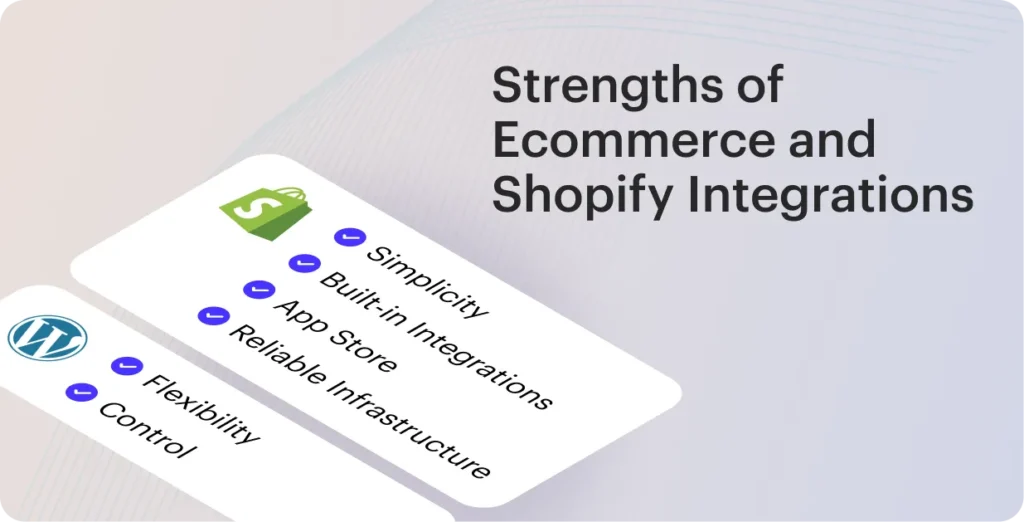
Through Shopify integrations, you may link the platform to other programs and platforms that your company utilizes. This can contain anything from shipping and inventory management systems to marketing tools and accounting systems. You can automate processes, save time, and enhance customer satisfaction with custom integrations.
The benefits of integrations:
- Automation: Make procedures like order processing, inventory management, and product information synchronization easier.
- Improved Customer Service: You can guarantee that consumers receive prompt and accurate assistance by integrating Shopify with customer service tools.
Through the Shopify App Store, Shopify offers a variety of built-in integrations that make it simple for store owners to link to well-known services like Google Analytics, Mailchimp, QuickBooks, and many more. However, Shopify’s API is a strong tool that allows you to create custom solutions if you have particular requirements that call for unique integrations.
See how we deploy Shopify third-party integrations in the Shopify Development Services.
Direct Comparison: eCommerce vs Shopify
Overall, there are benefits and drawbacks when opposing eCommerce vs Shopify. There is little to no possibility for personalization because they are limited to using a small number of the components that are accessible in a certain website theme.
| eCommerce Platforms Comparison | ||
|---|---|---|
| eCommerce | Shopify | |
| Flexibility & Scalability | Code-level access and complete open-source status enable limitless customization and sophisticated integrations. Development skills, caching, and hosting infrastructure all affect scalability. | SaaS that is extremely scalable and has integrated hosting, CDN, and worldwide infrastructure. Although it is limited in comparison to open-source platforms, flexibility is high through APIs and apps. |
| Costs of Integrations | Although the fundamental plugin is free, premium and custom development plugins can be expensive, and integration fees vary. Third-party tools, developer hours, and hosting all affect long-term expenses. | Monthly payments that are predictable, in addition to the price of premium apps and potential transaction fees. Reduced initial development costs, but at scale, recurring app subscriptions might get pricey. |
Choosing the Right Platform for Your Business
There is no one-size-fits-all solution, as is the case with most things in life. Your unique demands, priorities, and long-term business goals will determine the ideal platform.
Because eCommerce is open-source, you have total control over your online store. It provides more customization options and is less expensive to set up and operate.
Shopify, in contrast, is significantly simpler to use and requires no installation. They make it simple to arrange payment providers, and their price schemes are clear to understand.
To conclude, eCommerce is your best bet if you’re looking for an eCommerce solution that’s flexible, affordable, and gives you total control over your website. However, Shopify is the greatest option if you want to manage an online store without any hassles.
Conclusion
Despite being powerful eCommerce platforms, eCommerce and Shopify have different goals. Shopify provides managed scalability in online stores, user-friendliness, and dependable infrastructure right out of the box, whereas eCommerce shines in flexibility, bespoke integrations, and complete control over your stack.

Whether your company favors simplified growth or deep customization will determine the optimal option. With our technical know-how and practical insights, we at Stellar Soft assist brands in making these choices. For additional advice on creating more intelligent, future-ready eCommerce platforms, follow us.
FAQ
Which is better for custom integrations: eCommerce or Shopify?
eCommerce provides complete code-level access and flexibility for highly custom integrations because it is open-source and built on top of WordPress. Shopify has a strong API, but because it uses a closed SaaS architecture, it has more limitations.
Does Shopify support advanced third-party apps?
Indeed, there are thousands of carefully screened third-party tools in Shopify’s vast App Store that work flawlessly with the platform. However, Shopify Plus and API usage are frequently necessary for sophisticated customization, and they may have extra fees and restrictions.
Can eCommerce handle large-scale custom development?
Because eCommerce is built on PHP/MySQL and is completely open-source, it can accommodate enterprise-level custom development. Scalability in online stores is largely dependent on developer skill, caching layers, and optimum hosting.
Which platform is more scalable in the long term?
With its managed hosting, regular upgrades, and worldwide infrastructure, Shopify typically scales more readily right out of the box. Although it necessitates careful server optimization, upkeep, and perhaps a specialized development team, eCommerce can also scale considerably.
Team expansion isn’t very helpful because this strategy is hard to scale.
The reasons AI customer support by using AI chatbots and virtual assistants have become essential for retail firms, which features have the biggest effects, and how they might improve the consumer experience will all be covered in this article. We’ll also discuss recommended practices and what distinguishes high-performing conversational AI commerce systems from those that only respond to simple inquiries.
What are AI chatbots and virtual assistants?
Chatbots are your specialized, knowledgeable conversationalists. They are excellent at doing particular duties in a particular field. Serving as virtual representatives, live chat vs chatbots are ready to respond via text or voice to often asked queries, help clients, or speed up the purchasing process. Imagine that a representative is available 24/7 through your website or messaging app, ready to provide you with a response time improvement to any questions you may have.
Think of virtual assistants (VAs) as multi-talented wizards who serve as your personal concierge. Instead of limiting them to only talking, ask them to manage a wider variety of duties. These clever virtual assistants eCommerce are adept at making proactive suggestions according to your preferences. Your life is slightly easier when you have a virtual assistant at your disposal, giving you the assurance of having a very well-organized PA.
Because chatbots and virtual assistants have so many amazing functions, most people are left wondering how these technical wonders operate. They make use of ML, NLP, AI, and NLU. Because of the technologies that enable them to understand context, comprehend human language, and learn from interactions, they possess extraordinary intelligence and adaptability.
Benefits of chatbots in eCommerce customer support
Chatbots in eCommerce may greatly boost conversion rates by offering tailored product recommendations based on past purchases and browsing behavior. Regardless of the level of website traffic, chatbots guarantee that every customer receives prompt attention during the busiest shopping seasons. In this manner, companies reduce the amount of sales they lose as a result of preventable consumer annoyance. Additional advantages of AI-powered chatbots for superior AI customer support include the following:
Availability and instant responses
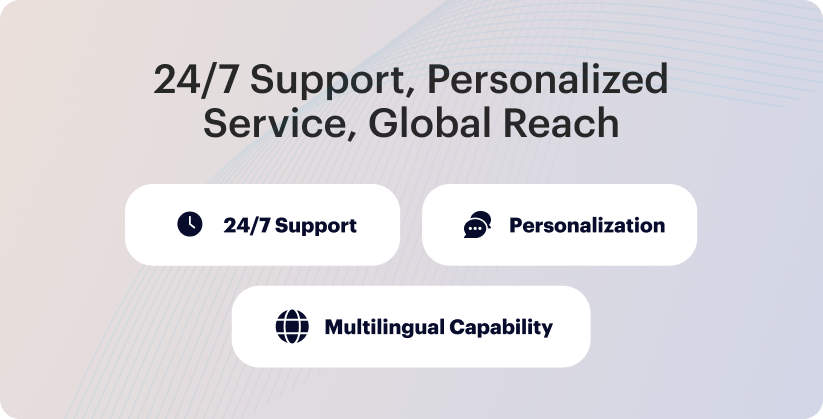
Fast and simple service is what customers demand, especially during busy times. Wait times are eliminated with immediate assistance when bots take over the initial interaction. Chatbots for online stores may offer worldwide, round-the-clock assistance whenever it’s most convenient for the client because they never sleep.
AI agents are used by retailers to offer round-the-clock assistance to foreign clients who might require assistance outside of usual business hours. Customers can find information on their own or obtain answers to frequently asked questions in a matter of minutes with these sophisticated, 24/7 customer support bots. They have observed improvements in initial resolution time and customer satisfaction since deploying a chatbot.
Personalized recommendations
AI-powered chatbots can provide individualized experiences by utilizing pertinent data when they are coupled with other business systems, such as your CRM, marketing automation software, or AI customer support tool. Here are few instances:
- Modifying messaging to align with the stage of their client journey
- Providing details about new goods or services
- Giving an order’s status without requesting order details
Although customers are aware that bots gather personal information, they prefer that it be used to improve customer experience. Integrating human-centered AI into your customer service operations makes the process simple.
Handling high-volume requests
Chatbots reduce the workload of agents by intercepting and rerouting possible support tickets. They help clients discover the information they require by managing repetitive chores, answering general inquiries, and providing self-service options. This enables agents to concentrate their knowledge on intricate problems or requests that call for a personal touch.
Depending on a company’s industry, product, or service, these requests might take many forms, but typically consist of:
- Providing tracking details and order status
- Providing product information
- Getting input
Chatbots drastically lower ticket volume by automatically answering these common questions, freeing up your human agents to focus on more complicated client issues that need individualized care.
How virtual assistants enhance the shopping experience
People who choose to implement virtual assistants eCommerce for your company view them as versatile friends. They can help you by providing more than just task automation. Calendar management, appointment scheduling, reminder setting, vacation planning, and even smart home gadget control are all possible with AI-powered virtual assistants.
Voice-enabled assistants in online shopping
Voice-enabled assistants allow users to search for products, compare prices, and place orders using simple voice commands, eliminating the need for manual browsing or typing. This improves accessibility for users who prefer or rely on voice interactions and enhances convenience for multitasking shoppers, such as those ordering while driving or cooking.
They drive higher engagement and conversion rates by creating a more conversational, personalized eCommerce customer service automation. They can remember user preferences, recommend products based on purchase history, and offer real-time support, reducing cart abandonment and improving customer satisfaction. These assistants transform online shopping into a more personalized and efficient process, benefiting both consumers and businesses alike.
Multilingual support for global customers
Customers are no longer restricted to purchasing at nearby physical stores thanks to internet shopping. Since consumers can purchase goods from any location in the world, removing communication barriers is essential to providing a positive customer experience. Customers who speak different languages can receive multilingual service from chatbots.
Chatbots can either ask the user what language they prefer at the beginning of a session or use artificial intelligence to guess the language based on user input. Omnichannel customer support bots are able to converse via chat, text, or voice in a variety of languages. You may utilize AI in conjunction with multilingual chatbots to provide compassionate, people-centric responses to common inquiries and carry out basic operations in a customer’s preferred language.
Seamless integration with eCommerce platforms
Virtual assistants can connect with existing product catalogs, CRM systems, payment gateways, and customer engagement tools, allowing shoppers to complete their entire journey through a single voice interaction. This integration ensures that product availability, pricing, and promotions are always up to date, improving operational efficiency.
For retailers, this seamless connectivity means they can extend their existing digital ecosystem without rebuilding their infrastructure, leveraging APIs and AI frameworks to embed voice capabilities into websites, apps, and IoT devices. Customers enjoy a unified eCommerce customer service automation experience whether they’re shopping via smart speakers, mobile apps, or web browsers, while businesses gain real-time insights and consistent branding across all touchpoints.
Implementing Chatbots in eCommerce
To optimize customer satisfaction and corporate return on investment, using the AI chatbots in eCommerce calls for careful planning and execution. Success hinges not only on selecting the appropriate technology but also on adhering to tried-and-true procedures that guarantee your chatbot provides smooth, customized interactions.
The following advice will help you create an eCommerce chatbot:
- Specify objectives and use cases. Establish the goals of the chatbot, such as increasing sales, improving customer service, or getting feedback. Setting clear objectives aids in identifying key components and determining development priorities.
- Recognize your audience. Do extensive study on the technical comfort levels and preferences of your target audience. The expectations for interactions differ by demographic. While older users might prefer more structured, in-depth responses, younger viewers might prefer brief, casual discussions.
- Have easy-to-understand conversations. Create simple conversation flows with language that is clear and succinct. Customers should be guided through interactions using logical, simple paths rather than being overloaded with options.
- Learn the most popular questions. Create a comprehensive knowledge library that addresses frequently asked questions by customers on refunds, shipping, and merchandise. This demonstrates a dedication to providing exceptional customer service while saving time for both clients and support workers.
- Choose between purchase and growth. Choose between working with a specialized vendor, purchasing an off-the-shelf platform, or developing your own solution. More flexibility and control are possible with custom creation, but it also requires a significant investment of time and technical know-how. Though pre-built solutions reduce customer service costs and deploy faster, their customization is limited.
Prior to starting an AI chatbot project, it’s critical to identify the essential functional personalization in eCommerce requirements. Building a solution that is not only technically sound but also in line with customer expectations and corporate objectives is made easier by taking these strategic factors into account.
Future Trends of AI in eCommerce Support
Virtual assistants will be able to comprehend not only what clients are saying but also how they feel thanks to emerging AI-driven sentiment analysis and predictive engagement models, which will enable more sympathetic and contextually aware responses.
Artificial intelligence chatbots, for instance, can identify urgency or dissatisfaction in a user’s tone and will automatically prioritize escalation to AI-powered virtual agents or provide proactive answers. By transforming customer service from reactive problem-solving to proactive help, this degree of intelligent contact will increase brand loyalty and confidence.
Businesses’ post-purchase and backend activities will be revolutionized by autonomous AI agents. While AI-driven analytics will continuously track encounters to find service gaps and training opportunities, these agents will handle returns, refunds, and customized follow-ups automatically. By integrating generative AI, FAQs, manuals, and quick responses may be created dynamically, increasing accessibility worldwide.
Conclusion
Chatbots and virtual assistants driven by AI are now required. In eCommerce, they are the new norm for providing prompt, astute, and customized help.
At Stellar Soft, we assist companies in creating and deploying AI-powered chatbot and virtual assistant solutions that improve customer satisfaction and support operations. Our team can help you from planning to deployment, whether your goal is to increase global reach, improve engagement, or expedite processes using multilingual support in eCommerce and voice-enabled assistants.
1. Cost: What’s Your Budget?
The cost of your eCommerce platform plays a significant role in your decision-making process, especially if you’re working within a tight budget.
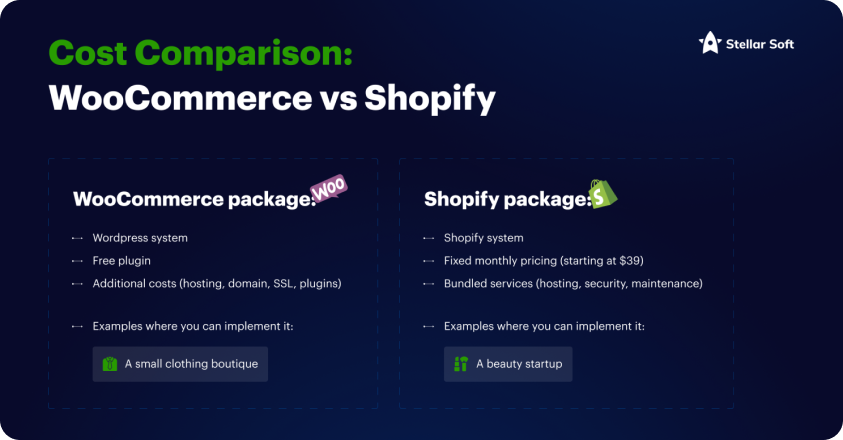
WooCommerce: This is a free, open-source plugin for WordPress, making it a potentially cost-effective solution for businesses already using WordPress. However, you’ll need to account for additional costs such as hosting, domain registration, SSL certificates, and potentially even premium themes or plugins to extend functionality. Hosting costs can range from $10 to $50+ per month depending on your needs, and security add-ons can add up. For example, a small clothing boutique might start with WooCommerce if they already have a WordPress site and want to keep initial costs low.
Shopify: Shopify operates on a subscription model, with plans starting at $39 per month for the Basic Shopify plan, scaling up to $399 for the Advanced plan. These fees include hosting, security, and maintenance, providing an all-in-one solution that’s easy to set up and manage. However, be mindful of transaction fees if you’re not using Shopify Payments, which can add to the cost. For instance, a new beauty products startup could find Shopify appealing due to its predictable monthly fees and built-in hosting.
In general, if you already have a WordPress site and are comfortable managing hosting, WooCommerce can be more affordable. But if you’re starting from scratch or want a more hands-off approach, Shopify’s bundled services may be worth the price.
2. Ease of Use: How Technical Are You?
The level of technical knowledge you or your team has will significantly impact which platform is right for you.
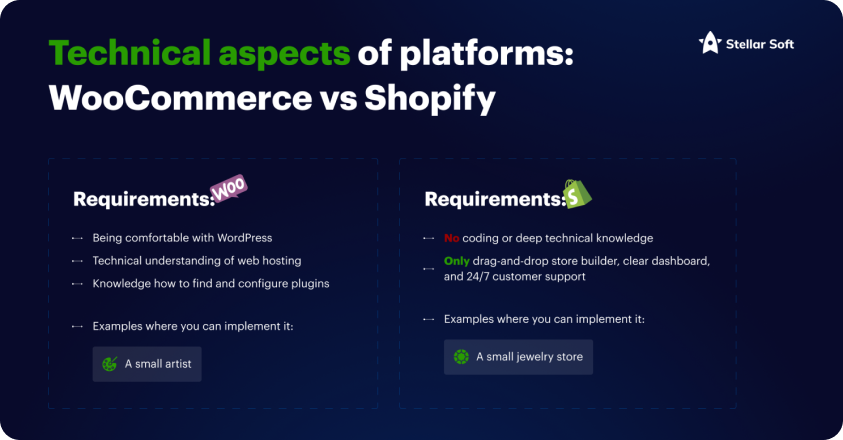
WooCommerce: While WooCommerce offers a lot of flexibility, it requires more hands-on management. You’ll need to be comfortable with WordPress and have some technical understanding of web hosting, plugins, and potentially coding if you want to make custom changes. Installing new features often requires finding and configuring plugins, which can be a learning curve for some users. For example, a small-scale artist might find WooCommerce challenging if they’re not already familiar with WordPress.
Shopify: Shopify is known for its user-friendly interface, making it an excellent choice for entrepreneurs who are less tech-savvy. With its drag-and-drop store builder, clear dashboard, and 24/7 customer support, Shopify allows business owners to focus on selling rather than managing the technical side of things. No coding or deep technical knowledge is required. For example, a small jewelry store with no internal IT resources might prefer Shopify for its ease of use.
If you want to hit the ground running without worrying about the technical details, Shopify is likely the better choice. WooCommerce, while more flexible, may require additional setup and management, which can be daunting for non-technical users.
3. Integrations & Plugins: What Features Do You Need?
Both WooCommerce and Shopify offer a wide range of integrations and plugins to extend your store’s functionality, but there are key differences.
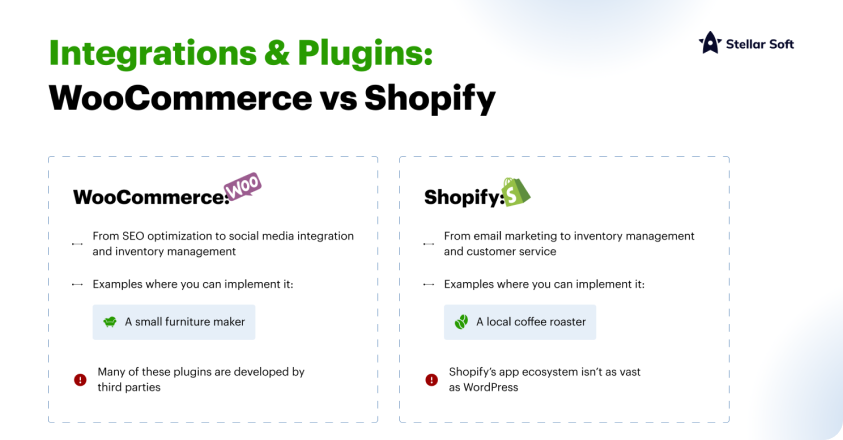
WooCommerce: As part of the WordPress ecosystem, WooCommerce has access to thousands of plugins for everything from SEO optimization to social media integration and inventory management. This can be an advantage for businesses that need a highly customized solution. However, many of these plugins are developed by third parties, meaning you may need to install and manage multiple plugins for various features, which can lead to compatibility issues. A small furniture maker, for example, might appreciate WooCommerce’s flexibility in integrating with custom shipping solutions or third-party payment gateways.
Shopify: Shopify has an extensive App Store with hundreds of apps that can be installed with a single click. These apps cover everything from email marketing to inventory management and customer service. While Shopify’s app ecosystem isn’t as vast as WordPress, it’s highly curated, meaning you’re less likely to run into compatibility issues. For example, a local coffee roaster might choose Shopify for its seamless integration with tools like Mailchimp or QuickBooks.
In summary, WooCommerce offers unparalleled customization through plugins, but it requires more work to manage. Shopify offers fewer apps but provides a more streamlined experience, particularly for users who want simplicity.
4. Scalability: Will the Platform Grow with Your Business?
As your business grows, your eCommerce platform needs to scale with you. Both WooCommerce and Shopify can handle growing businesses, but they do so in different ways.
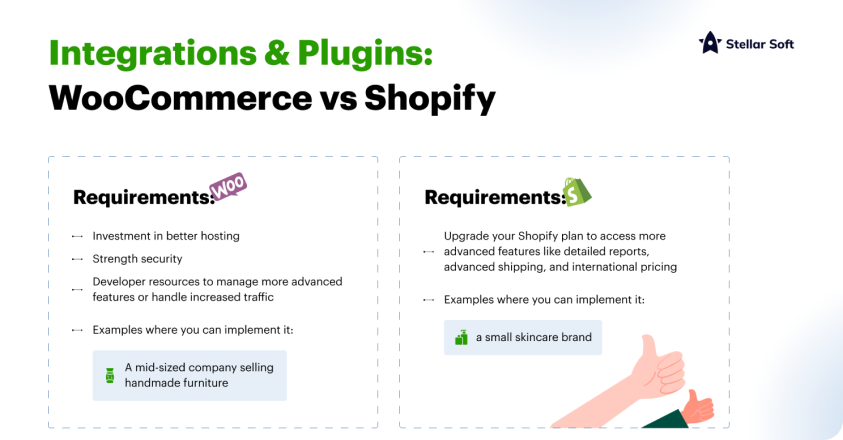
WooCommerce: Since WooCommerce is open-source, you can customize virtually every aspect of your store as your business grows. However, with this flexibility comes added complexity. As you scale, you’ll likely need to invest in better hosting, stronger security, and possibly developer resources to manage more advanced features or handle increased traffic. A mid-sized company selling handmade furniture may find WooCommerce advantageous for its ability to offer customized shipping options as the business grows internationally.
Shopify: Shopify is designed to scale effortlessly. As your sales increase, you can upgrade your Shopify plan to access more advanced features like detailed reports, advanced shipping, and international pricing. Shopify’s infrastructure handles server load, so you don’t have to worry about downtime as your traffic grows. For example, a small skincare brand could start on the Basic plan and gradually upgrade as sales increase, without ever needing to worry about technical scaling issues.
If you prioritize growth and want to avoid the hassle of managing server infrastructure, Shopify’s scalability will likely serve you better in the long term. WooCommerce is powerful for businesses that want full control over their site’s growth but may require more hands-on work to maintain performance.
5. Payment Options and Fees
Another critical consideration is how each platform handles payments and the associated fees.
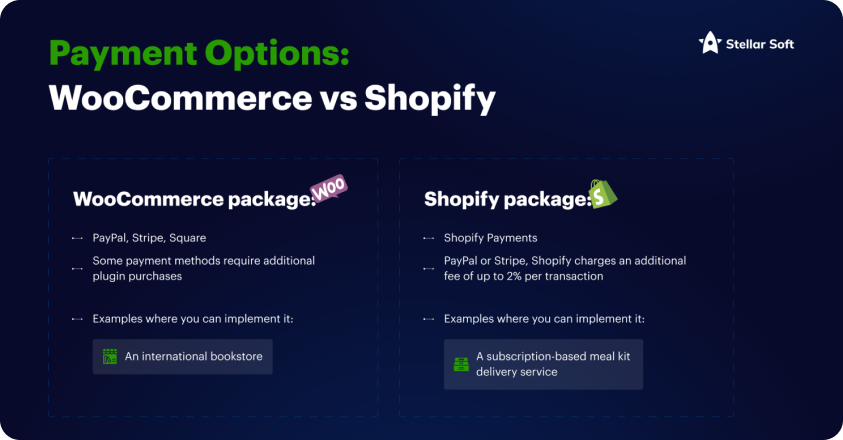
WooCommerce: WooCommerce supports a wide range of payment gateways, including PayPal, Stripe, Square, and others. Many of these gateways come with no additional fees beyond what the payment processor charges, giving you more control over your costs. However, setting up multiple gateways can be more complex, and some may require additional plugin purchases. For example, an international bookstore using WooCommerce might benefit from integrating a variety of local and global payment processors to serve different markets.
Shopify: Shopify has its own payment system, Shopify Payments, which is fully integrated into the platform. If you use Shopify Payments, there are no transaction fees (outside of credit card processing fees). However, if you use a third-party payment gateway like PayPal or Stripe, Shopify charges an additional fee of up to 2% per transaction, depending on your plan. This could be a deciding factor for businesses with low margins. For instance, a subscription-based meal kit delivery service might opt for Shopify Payments to avoid extra transaction fees.
6. Conclusion: Which Platform is Right for Your Small Business?
In the end, the choice between WooCommerce and Shopify comes down to your business’s specific needs, technical capabilities, and long-term goals.
- In the end, the choice between WooCommerce and Shopify comes down to your business’s specific needs, technical capabilities, and long-term goals.
- If you want an all-in-one, user-friendly solution with minimal technical involvement, Shopify is likely the better option. With predictable pricing, built-in hosting, and excellent scalability, Shopify lets you focus on growing your business rather than managing the technical aspects of your online store.
- Whichever platform you choose, be sure to evaluate your needs carefully, test out both platforms, and make a decision that will support your business’s growth both now and in the future.
- Have you used WooCommerce or Shopify for your business? What has your experience been? Let’s discuss in the comments!
Product Recommendations
Recommending products based on a user’s browsing history, purchase history, and preferences is one of the most common forms of personalization. Algorithms analyze past behaviors and use that data to suggest items that are likely to be of interest. These recommendations not only enhance the user experience but can significantly drive up conversion rates and average order value by promoting relevant items.
For instance, if a customer frequently browses fashion items, the website will suggest similar items, styles, or even complementary products such as accessories.
User Profiles
Building detailed user profiles is a foundational aspect of personalization. By collecting and analyzing data such as location, age, gender, browsing habits, and purchase history, eCommerce platforms can create comprehensive profiles for each user. These profiles serve as the basis for tailoring everything from product recommendations to marketing messages.
User profiles can even help segment audiences, allowing businesses to customize their marketing efforts and promotions for different groups, ensuring a more targeted and effective approach.
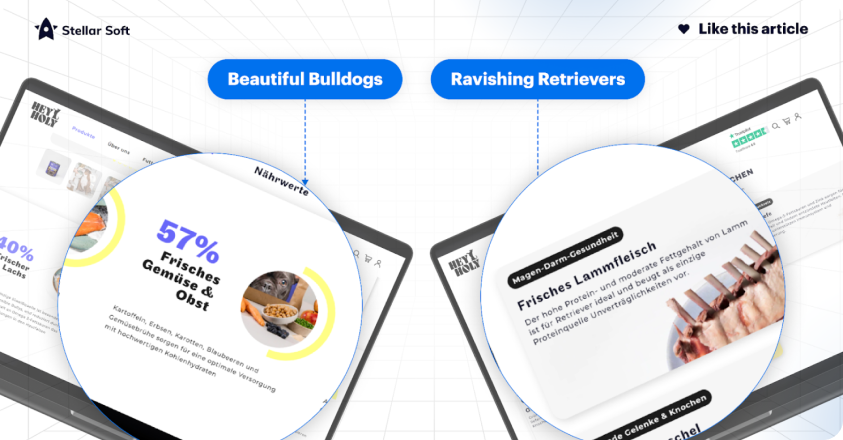
Dynamic Content
Dynamic content adapts in real-time based on the user’s actions, preferences, and past behavior. This might include personalized product listings, banners that reflect the user’s browsing history, or promotional messages that resonate with their interests. For example, a user who consistently shops for electronics will see banners showcasing deals on gadgets, while someone interested in fashion might see offers on clothing and accessories.
This strategy ensures that users are presented with content that is highly relevant to their preferences, making their shopping experience more enjoyable and engaging.
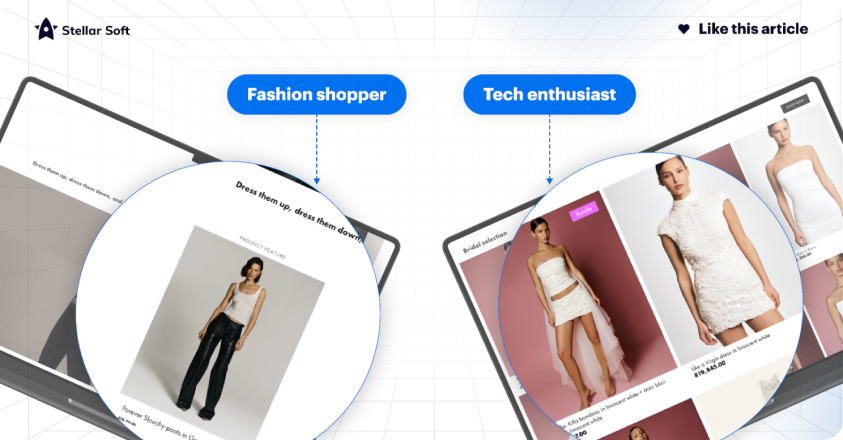
Email Marketing
Personalized email marketing campaigns take the user’s browsing and purchasing history into account to deliver customized recommendations, special offers, and content that is directly relevant to their interests. Email campaigns that are highly personalized can boost open and click-through rates, as they feel more like tailored communication rather than a generic advertisement.
For example, after a user abandons a cart, they might receive an email reminding them of the items they left behind, along with product recommendations or a discount offer to entice them to complete their purchase.
Personalized Pricing
Some eCommerce platforms employ dynamic pricing algorithms to adjust product prices based on user behavior, demographics, and purchase history. This strategy allows businesses to offer individualized discounts or deals based on customer loyalty, browsing activity, or purchase frequency.
For instance, loyal customers might receive exclusive offers or discounts, while new visitors could be presented with promotional deals to encourage a purchase.
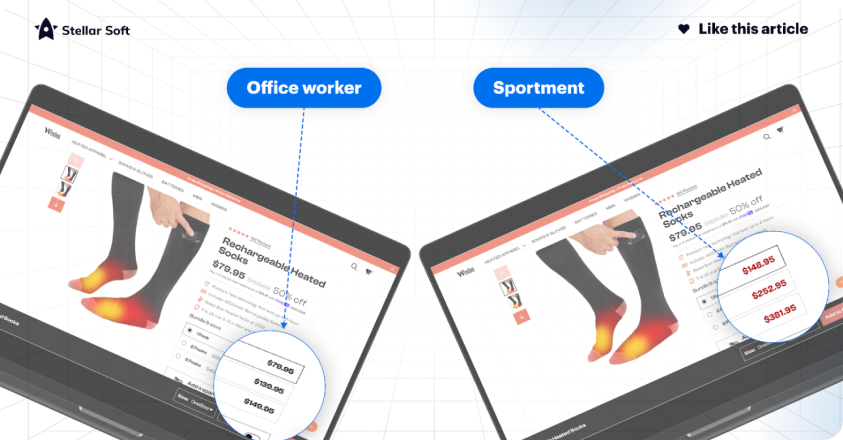
Abandoned Cart Recovery
Abandoned cart recovery is a highly effective way to win back potential customers. Sending personalized reminders to users who have left items in their shopping cart encourages them to return and complete the purchase. These reminders often include the exact items left in the cart, along with additional incentives such as discounts or free shipping.
The combination of personalization and timely offers can significantly improve conversion rates from abandoned carts.
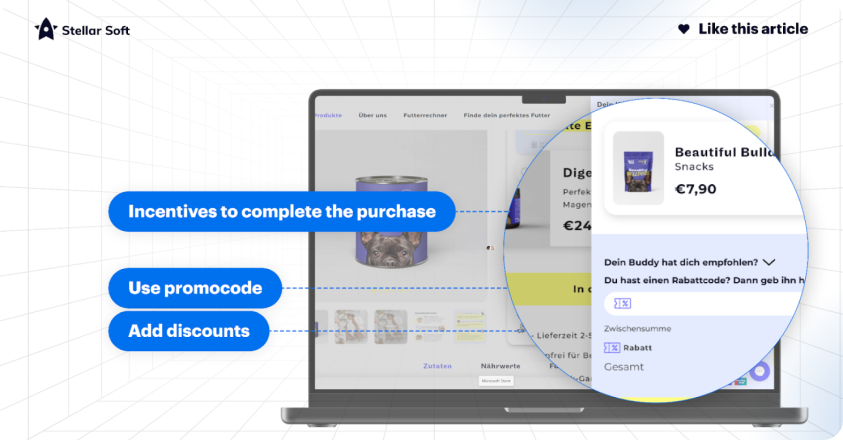
Location-Based Personalization
Location-based personalization can take many forms, from offering localized shipping options to providing region-specific promotions. For example, users in certain geographic areas might see localized ads, store availability, or delivery options that cater to their region. Location-based personalization ensures that the shopping experience is convenient and relevant, making it more likely that users will complete their purchase.
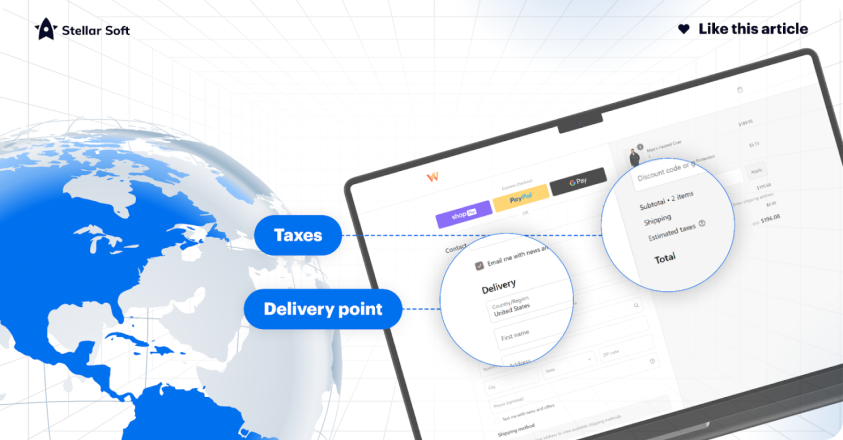
Social Media Integration
Many eCommerce platforms integrate with social media channels, allowing businesses to gather valuable insights from users’ social activity. This integration enables the platform to recommend products liked or shared by the user’s friends, providing a more social and engaging shopping experience. The social proof aspect also adds credibility to the product, increasing the likelihood of a purchase.
For example, if a friend likes or recommends a product on Facebook, that item may appear in personalized recommendations for other users.
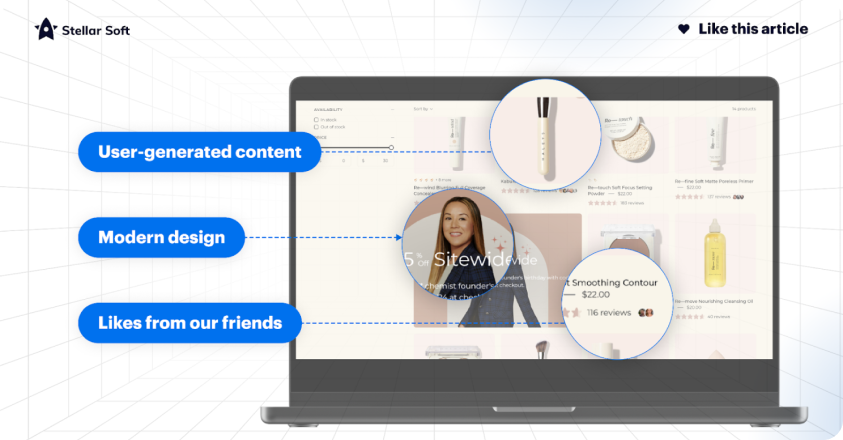
Mobile App Personalization
As mobile commerce continues to grow, personalizing the mobile app experience has become essential for customer engagement. Mobile apps can provide a more tailored shopping experience by using data such as user preferences, location, and behavior to display personalized recommendations and offers. A mobile app can also offer location-based notifications, personalized push messages, and easy access to previously browsed items.
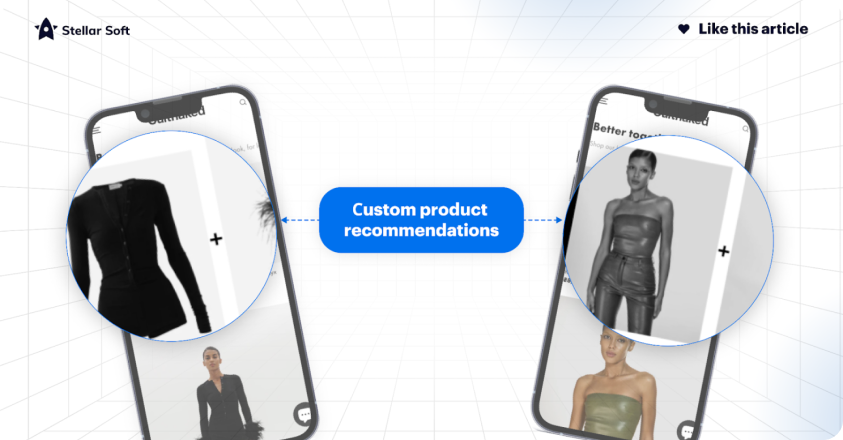
Customer Service
Personalized customer service, whether delivered through chatbots or live agents, plays a crucial role in improving the customer experience. By leveraging user data, chatbots can provide tailored assistance, answering specific questions based on the user’s history, preferences, and past purchases. Live agents can also use this information to offer more informed and relevant support.
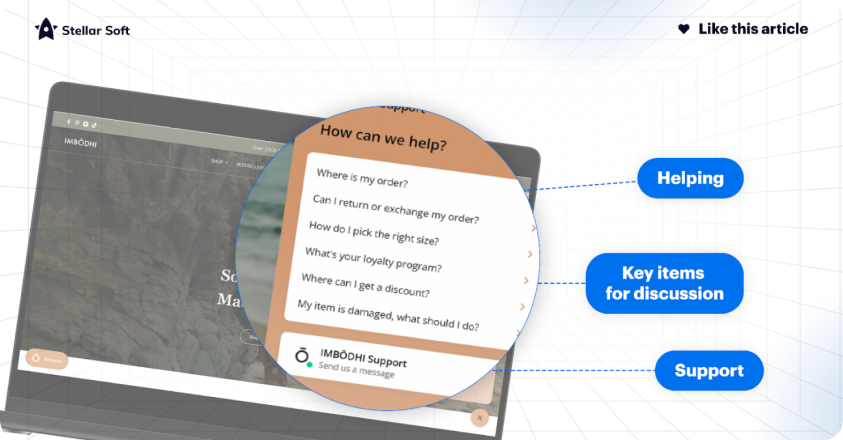
User Feedback
User feedback is critical for refining personalization strategies. Collecting feedback allows businesses to continuously improve the customer experience by making data-driven adjustments. Personalized surveys, product reviews, or direct feedback mechanisms provide valuable insights into what customers enjoy or wish to improve, helping to fine-tune the personalized experience over time.
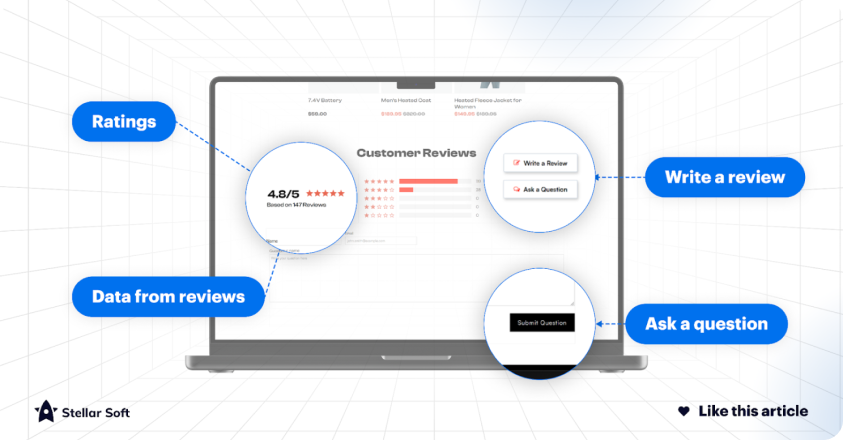
A/B Testing
A/B testing is a method used to evaluate different personalization strategies by presenting users with two variations of content or design and measuring their performance. This allows eCommerce businesses to determine which personalization tactics work best for specific user segments, enabling them to optimize the overall experience.
For example, one group might see a homepage with personalized product recommendations, while another sees generic content, allowing the business to track engagement and conversion differences.
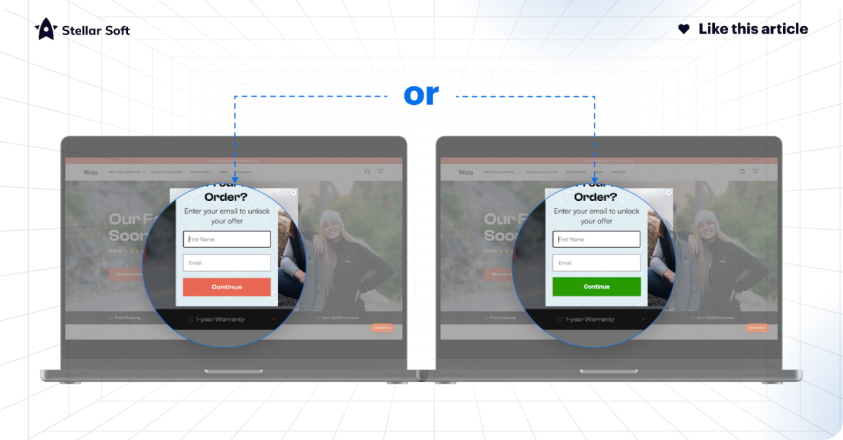
Conclusion
Effective personalization in eCommerce goes beyond simple product recommendations; it involves crafting a seamless, customized experience at every touchpoint in the customer journey. By leveraging user data, dynamic content, personalized communication, and location-based services, businesses can increase engagement, drive sales, and foster customer loyalty.
However, it is essential to balance personalization with respect for user privacy. Collecting and using customer data must be done in compliance with privacy regulations, ensuring that personalization efforts do not intrude upon user trust.
Why Mobile Optimization Matters for eCommerce
A seamless mobile experience can significantly impact your conversion rates, user engagement, and search engine rankings.
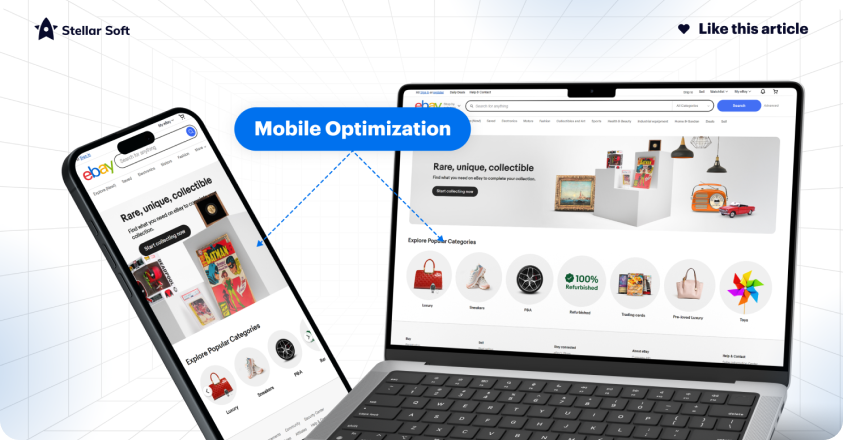
If your CMS is not optimized for mobile, you risk losing valuable customers to competitors with smoother, faster, and more user-friendly mobile experiences.
Key Benefits of a Mobile-Optimized CMS:
- Improved User Experience: Mobile optimization makes it easier for users to navigate, search, and shop on your site, leading to higher engagement and satisfaction.
- Higher Conversion Rates: A seamless mobile experience can decrease bounce rates and improve conversion rates.
- Enhanced SEO: Google’s mobile-first indexing prioritizes mobile-friendly sites in search results, improving visibility.
- Faster Load Times: Mobile-optimized pages load faster, crucial for retaining users who might otherwise leave due to slow load times.
Best Practices for a Mobile-Optimized CMS
1. Responsive Design
A responsive design ensures that your website adapts to any screen size, providing an optimized experience for every user.
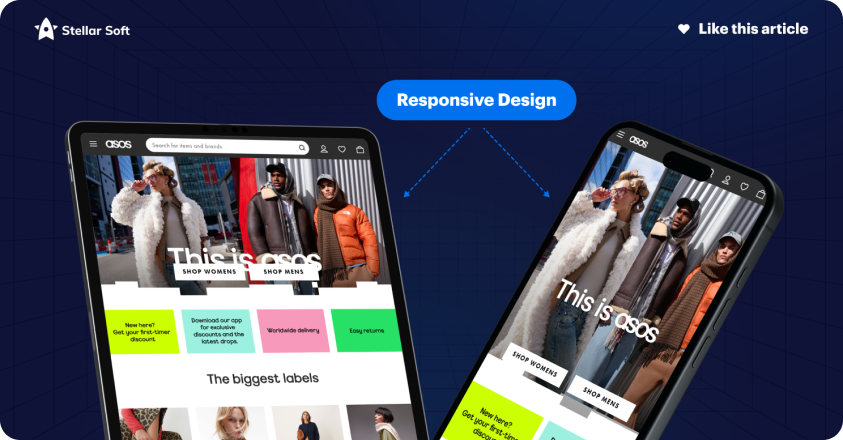
When setting up your CMS, enable responsive design to ensure images, text, and other elements adjust fluidly across devices.
Example: Fashion retailer ASOS uses a responsive design that adjusts seamlessly to mobile screens, providing users with an accessible, visually appealing experience on any device.
2. Prioritize Speed with Lightweight Media
High-quality visuals are essential for eCommerce, but large files can slow down mobile load times. Compress images, limit autoplay videos, and enable lazy loading so content only loads when it comes into view.
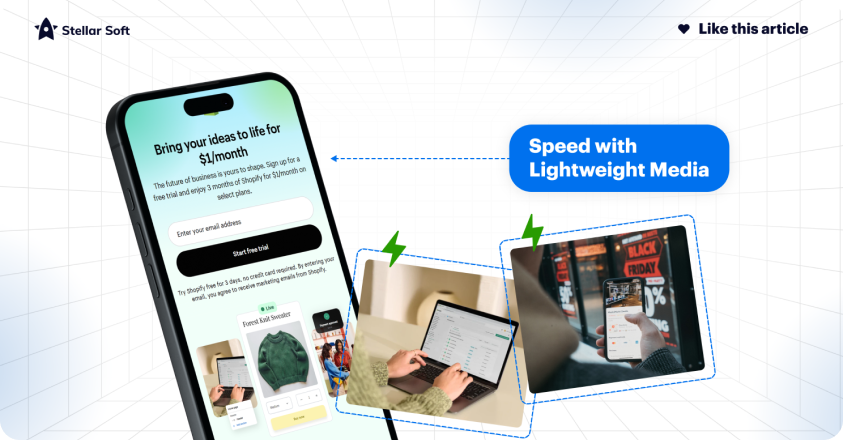
Example: Shopify’s CMS platform allows merchants to optimize media with easy-to-use image compression tools and lazy-loading options, resulting in faster load times and improved user experience on mobile.
3. Streamlined Navigation
On a smaller screen, cluttered menus can overwhelm users. Simplify navigation by using collapsible menus and limiting categories.
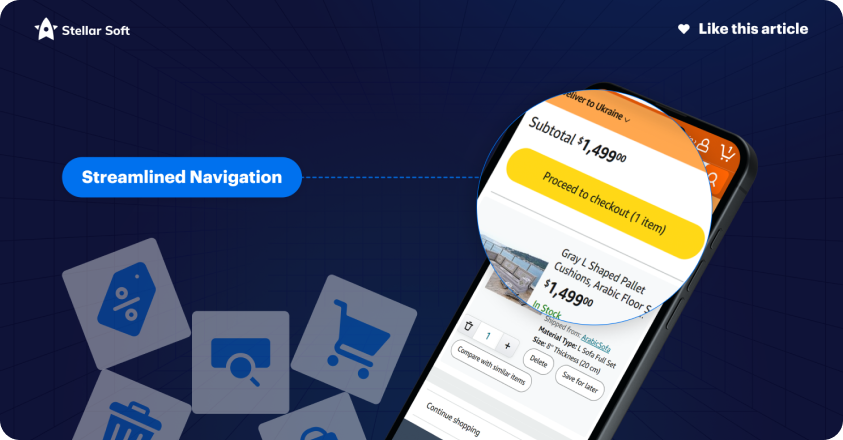
Prioritize high-value elements like the shopping cart, search bar, and “Buy Now” buttons.
Example: Amazon’s mobile site uses a simplified navigation system with collapsible menus, making it easy for users to quickly find what they need without overwhelming the screen.
4. Touch-Friendly UI Elements
Buttons and links need to be optimized for touchscreens. Ensure interactive elements are large enough to tap easily and spaced out to prevent accidental clicks.
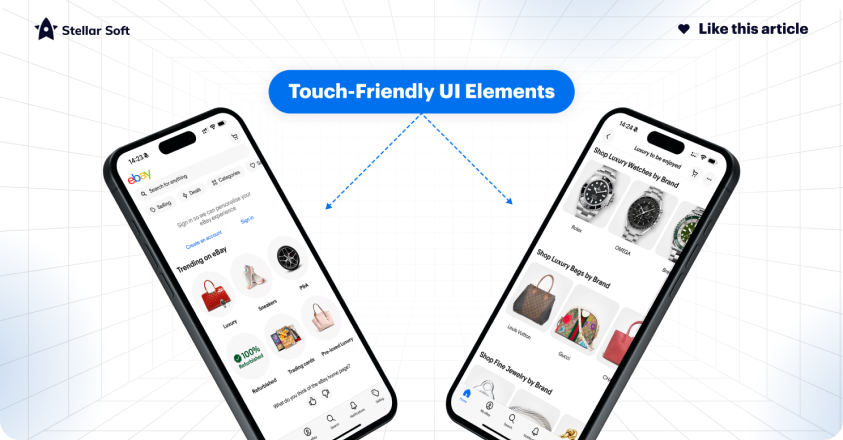
Example: eBay’s mobile app features large, easy-to-tap buttons, enhancing usability for mobile shoppers.
5. Implement Mobile-Specific SEO
Mobile SEO involves optimizing your site to rank well in mobile search results.
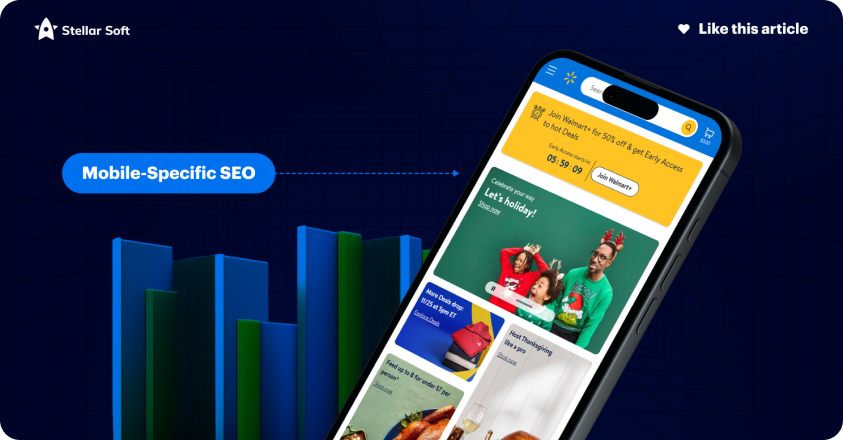
Focus on mobile-friendly keywords, structured data, and responsive design. Google rewards mobile-optimized sites with better rankings, which is essential for visibility in a competitive market.
Example: Retailer Walmart leverages mobile-specific SEO tactics, including structured data and mobile-responsive pages, to ensure they appear in local and mobile search results.
6. Fast and Simple Checkout Process
Cart abandonment is often due to complex, lengthy checkout processes on mobile. Reduce the number of steps required and enable one-click purchasing options or mobile wallet integrations (e.g., Apple Pay, Google Pay) for a smoother checkout experience.
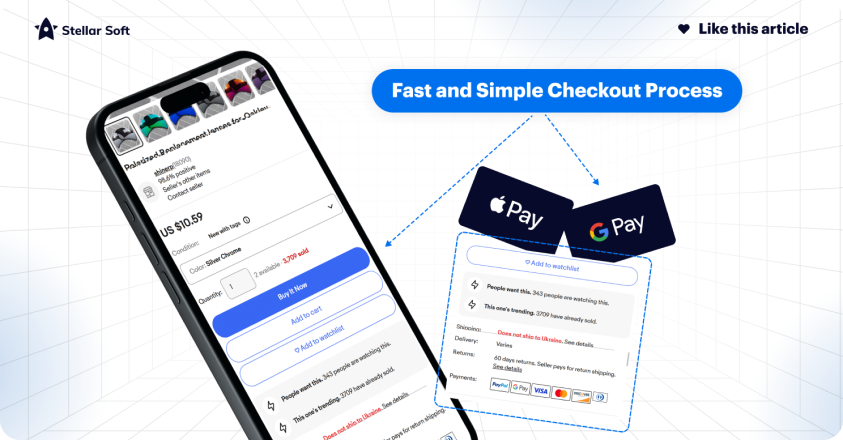
Example: Starbucks’ mobile app offers a one-tap payment option, providing a streamlined experience that encourages repeat purchases.
7. A/B Test Regularly on Mobile Devices
Mobile optimization is an ongoing process. Use A/B testing tools to continually refine and improve your mobile experience based on user behavior and preferences.
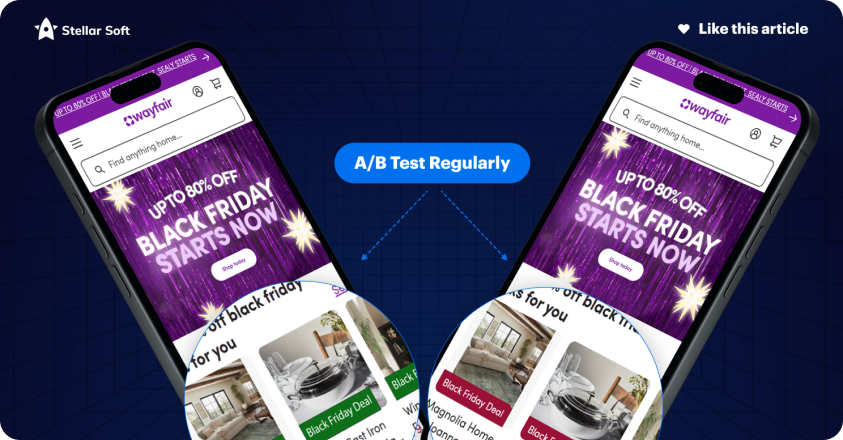
Example: Online furniture retailer Wayfair frequently A/B tests their mobile site’s design, which allows them to improve elements like button placement, product layout, and call-to-action phrasing.
Optimizing your CMS for mobile-first eCommerce is essential for reaching today’s shoppers. By following these best practices, you can create a faster, more user-friendly experience that drives conversions and keeps customers coming back. Implement these strategies, monitor results, and continually adapt to new trends to maintain a competitive edge in the mobile eCommerce landscape.
Navigating the Digital Landscape
Imagine your website’s navigation as a compass — one that guides users across a sea of product options. Effective navigation empowers users, helping them find what they’re looking for without confusion or frustration. Here’s how to design a navigation system that’s both user-friendly and optimized for sales:
Key Ingredients for Success
1. Simplicity is Key
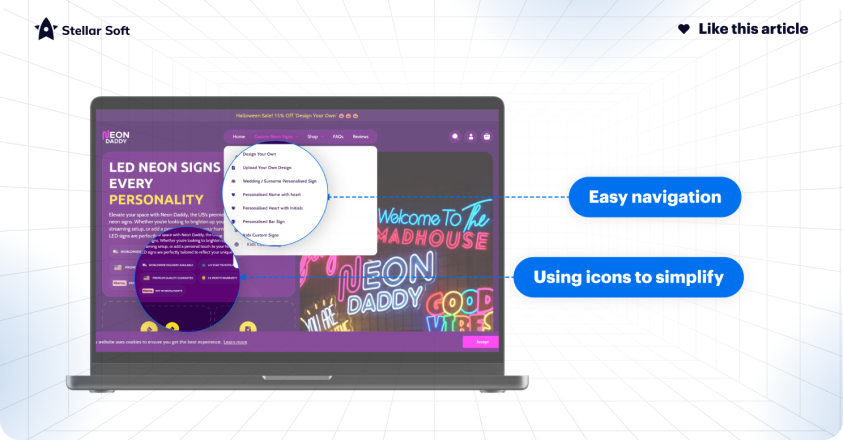
Keep things simple. A clean, organized navigation bar is inviting and functional, making it easy for users to understand your product categories. Avoid overloading users with choices; instead, group similar products together logically.
2. Clear Labels and Descriptions
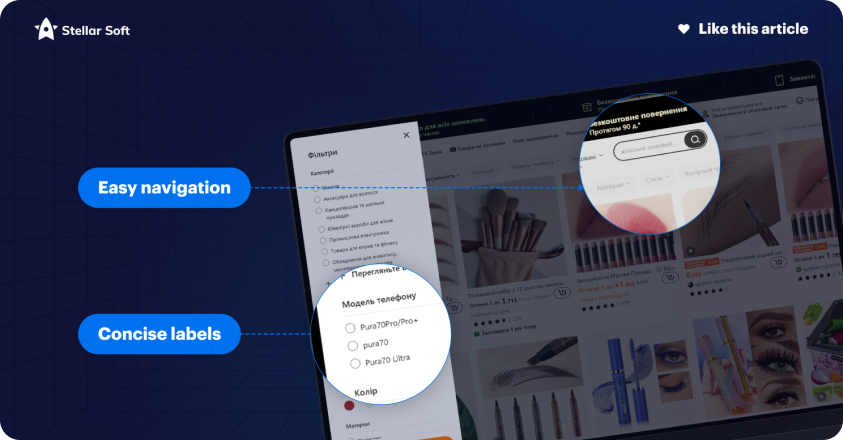
Make sure your labels are straightforward to understand. Instead of jargon, use language that resonates with your target audience. By anticipating their needs, you’re making their journey more intuitive.
3. Visual Cues and Signposts
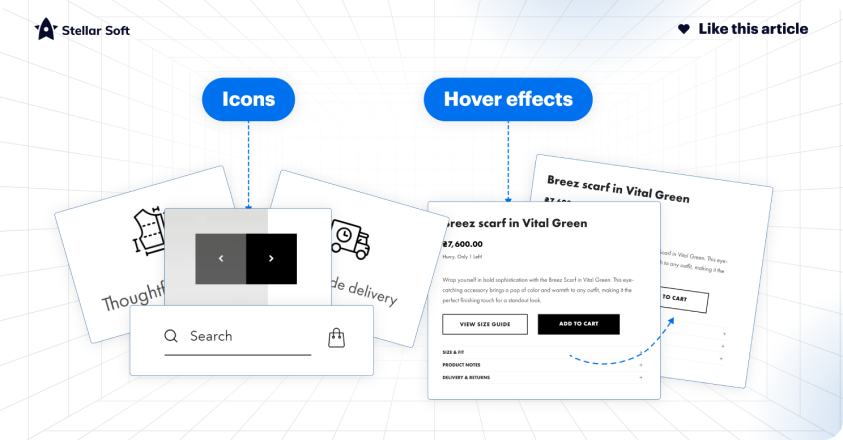
Enhance usability with icons, hover effects, and other visual cues. These elements help users navigate your site more efficiently by highlighting clickable areas and providing feedback when interacting with dmplicity is Keyifferent parts of the page.
4. Responsive Design
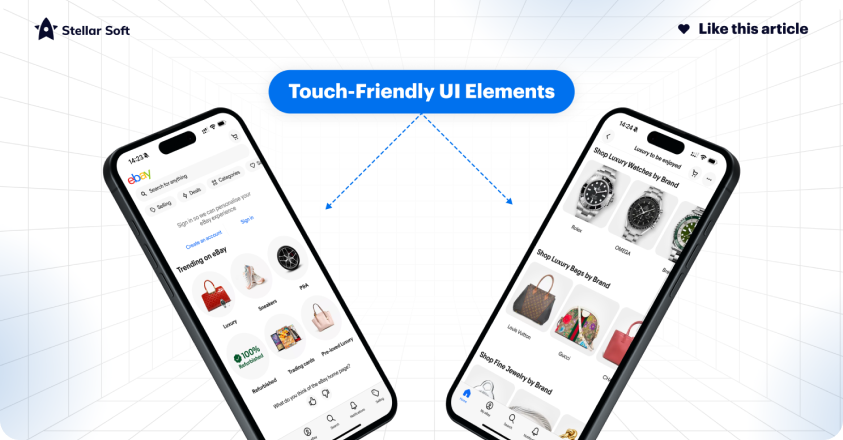
In an era where shopping happens on the go, your navigation must work seamlessly on any device. Whether users are on a desktop, tablet, or mobile phone, your navigation should adjust smoothly, maintaining a consistent experience.
Examples of Stellar Navigation
To truly understand how navigation can enhance the user experience, let’s take a look at some eCommerce giants and their approaches to navigation:
1. Amazon
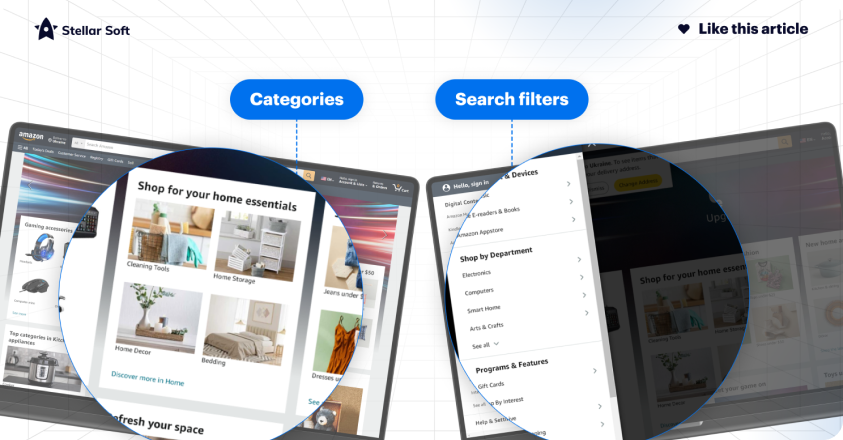
Amazon’s straightforward, minimalist navigation allows millions to browse through vast product categories with ease, proving that simplicity can be incredibly powerful.
2. Apple
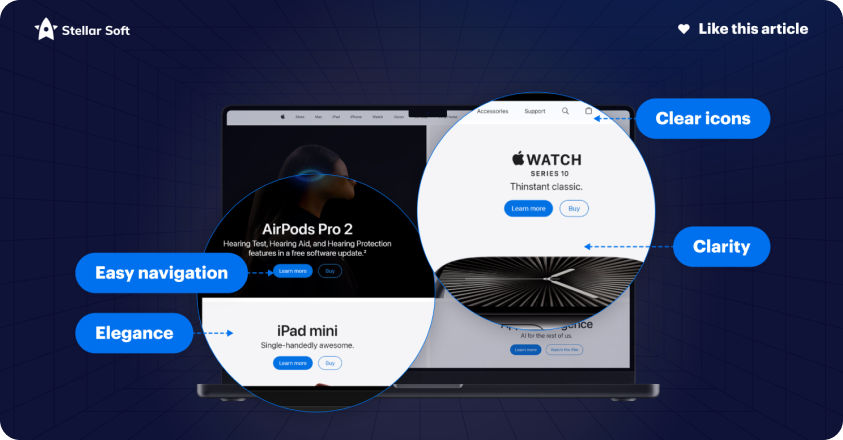
Known for its clean and elegant design, Apple’s navigation is a masterclass in directing users intuitively to its array of products and services without any distractions.
3. Etsy
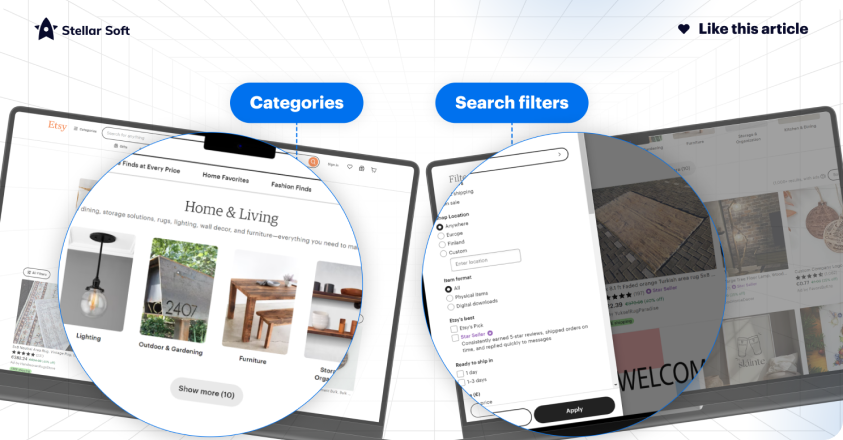
For a site packed with unique, personalized items, Etsy’s curated categories and search filters help users explore a massive range of products easily.
4. Zappos
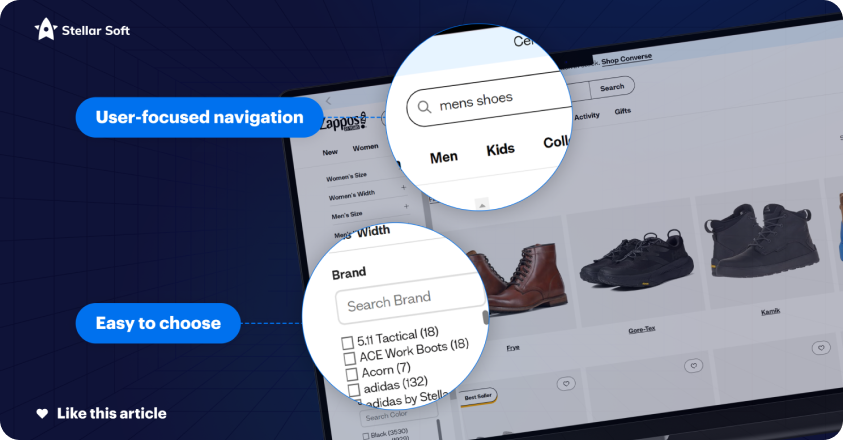
Zappos has a highly user-focused navigation system with well-organized categories and powerful filters, allowing customers to narrow down options by brand, size, and style effortlessly.
5. Nike
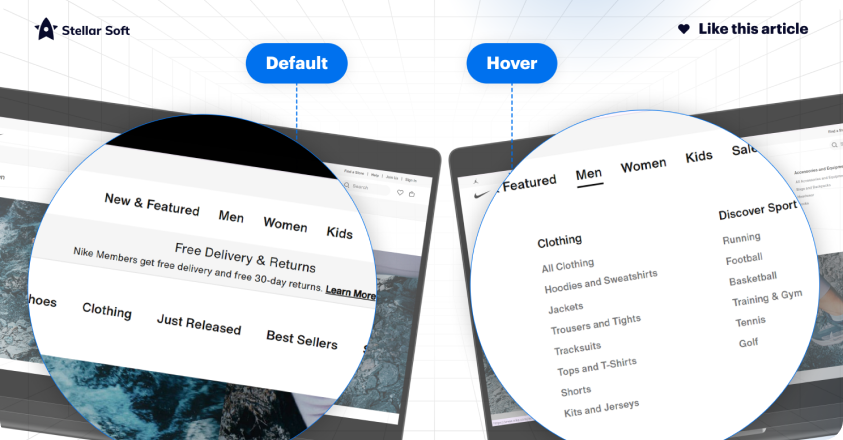
Nike’s website showcases clean, visually compelling navigation. With options like “New Releases,” “Men,” “Women,” and “Sale” displayed prominently, Nike ensures users can quickly find their desired products.
6. Sephora
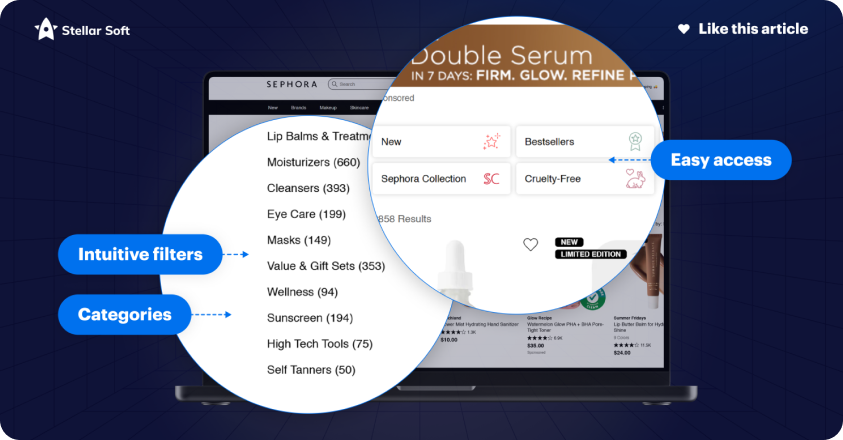
Sephora’s navigation is built around intuitive categories and filters that cater to beauty enthusiasts, offering easy access to products by brand, ingredient, and even customer reviews. The “Find Your Match” tool further enhances the user experience.
7. Zara

Zara combines simplicity with functionality, providing a minimalist navigation menu that prioritizes categories such as “Women,” “Men,” and “Kids.” It’s stylish yet straightforward, reflecting the brand’s aesthetic while guiding users seamlessly.
Take the Leap: Transform Your Store Today!
Zara combines simplicity with functionality, providing a minimalist navigation menu that prioritizes categories such as “Women,” “Men,” and “Kids.” It’s stylish yet straightforward, reflecting the brand’s aesthetic while guiding users seamlessly.
A well-designed navigation structure doesn’t just improve usability; it builds trust, encourages exploration, and increases the likelihood of conversions. By investing in intuitive navigation, you’re investing in customer satisfaction and retention. Let’s work together to make your eCommerce store an inviting, easy-to-navigate destination that keeps users coming back.
Get ready for Black Friday – we offer an audit of your Shopify store. Just send an email to vlad@stellar-soft.com or jack@stellar-soft.com and we’ll take care of your online business!