The best Black Friday quick wins for Shopify stores are the fixes your own data points to: where shoppers drop off between collection, product page, cart and checkout, what breaks on mobile, and which traffic sources hit errors. Most are small, low-risk changes to speed, tracking, product pages, navigation and checkout that can ship before code freeze.
This September, we sent a proposal ahead of Black Friday and Cyber Monday (BFCM) to 10 of our Shopify clients. It covered the usual suspects: countdown timers, announcement bars, campaign banners, tactics to increase average order value (AOV), plus a QA and speed audit before the traffic peak. Solid, proven stuff.
Two said yes.
Around the same time, we ran a conversion rate optimization (CRO) audit for one of our clients' stores. Same team, same season, similar kinds of fixes. The client approved every single recommendation in the Quick Wins & Critical section, ten out of ten.
It's not a perfect comparison: one is ten clients, the other is ten recommendations for one store. But the pattern was hard to miss. What changed was the evidence behind the ideas.
In short
A generic pre-BFCM proposal got two yeses out of ten. A CRO audit built on one store's own data got all ten recommendations approved.
A small navigation change on a collection page lifted conversion by 16.7% in a 22-day A/B test.
Most pre-BFCM quick wins are native, low-risk fixes: speed, tracking, product page content, navigation and, on Shopify Plus, a checkout shoppers trust.
Why generic Black Friday checklists don't work
The quick wins worth shipping before BFCM aren't the ones every "top 10 tips" article lists. They're the ones your own store data points to: where shoppers drop off, what breaks on mobile, which traffic sources hit errors.
A generic checklist asks a merchant to trust that a timer or a banner will help their store. A data-backed finding shows them where they're already losing orders. One is a nice-to-have. The other is a leak with a number on it.
Timing makes this even sharper. By October, most teams are busy planning the promo itself, and every change to the live theme carries risk. When we looked at why the generic proposal didn't go further, the reasons were practical rather than skeptical: not taking part in the sale this year, no budget for extra work, their own ideas for the season, a site still in development, or traffic too low to justify the changes.
None of these were objections to the ideas themselves. But when time, budget and risk tolerance are this limited, a generic proposal is easy to postpone. A change with clear evidence behind it is much harder to say no to.
What store data actually shows
Across the CRO audits we ran this season, the most valuable findings weren't missing features. They were things already costing conversions that nobody had looked at closely. These came up again and again:
The cart-to-checkout step is the biggest leak in the funnel. Shoppers add to cart, then drop before checkout, often because of surprise costs or unclear delivery info.
Mobile Core Web Vitals sit on the edge of "poor" on stores where most sessions are mobile.
Social traffic hits JS errors and in-app browser issues. Visitors coming from Instagram or Facebook ads land in an in-app browser where parts of the page quietly break.
Product pages that don't answer basic questions, like what's actually included in the box.
Collection pages that are hard to navigate, with no sticky filters or quick ways to narrow the range.
A weak welcome popup or lead magnet that collects few emails right before the season when email matters most.
Social proof that exists but isn't used, like organic customer content on social media that never makes it onto the product detail page (PDP).
None of these require a new app or a redesign. Most can be fixed natively, as part of regular Shopify theme development, in days rather than weeks, and each comes with a baseline to measure against.
Case 1: a small navigation change, +16.7% conversion
Problem. Escapure, a premium pet food brand, had a large range on its collection pages. Filters were there, but the data suggested shoppers still struggled to find the right product.
Hypothesis. Adding navigation tags at the top of the collection page would make it easier to narrow the range, shorten the path to purchase and lift conversion.
Test. We ran an A/B test: the original collection page vs. a version with navigation tags. The main metric was conversion rate; we also tracked add-to-cart and other funnel steps.
Result. The test covered 11,233 visitors over 22 days. The variant recorded a 16.7% higher conversion rate than the control, a difference of 2.05 percentage points. The difference was positive on both mobile (+17.0%) and desktop (+15.9%).
Screenshot 1. The collection page with navigation tags above the product grid.
Screenshot 2. A/B test results by device: the variant converted better on both mobile and desktop.
Why it matters for BFCM. This is the kind of change that fits before code freeze: small, native, low-risk and measured. During the sale, shoppers arrive with less patience and more options. Helping them find the right product faster matters even more than usual.
Case 2: speed before the traffic peak
Problem. A UK baby food brand had its slowest page exactly where shoppers browse the range: the main collection page. In GTmetrix it got an F grade, with a Largest Contentful Paint (LCP) of 15.9 seconds. Lighthouse scored it 61 on desktop.
What we found. Third-party scripts for reviews, support chat, A/B testing and loyalty all loaded at once and competed with the store's own content. Core libraries came from an external CDN. Images were downloaded larger than the slots they filled, and the hero loaded the same video twice: a single file plus an adaptive stream in parallel.
What we changed. Nothing disappeared from the shopper's view. We changed when and how things load:
Third-party scripts start once the visitor interacts with the page; theme widgets load as they scroll into view.
Core libraries moved into the theme's own assets.
Images are sized to their real slots, hover images load only when needed, and the main product image is requested first.
The hero loads one video file with a compressed poster image.
Result. The GTmetrix runs were measured on an unpublished copy of the live theme, so the comparison is like-for-like. Lighthouse uses different test conditions, so its numbers differ from GTmetrix.
Collection page
Before
After
GTmetrix grade
F
D
GTmetrix Performance
27%
45%
GTmetrix Structure
71%
85%
Largest Contentful Paint (GTmetrix)
15.9 s
2.1 s
Total Blocking Time (GTmetrix)
4.3 s
2.1 s
Page size
5.32 MB
3.51 MB
Lighthouse Performance, desktop
61
88
Largest Contentful Paint, desktop
7.1 s
1.4 s
The GTmetrix grade improved from F to D. LCP fell from 15.9 to 2.1 seconds, although Total Blocking Time, down from 4.3 seconds, is still 2.1 seconds, leaving further performance work to do.
The audit also caught a tracking issue: the Google Analytics 4 tag was loaded twice, adding about 190 KB of JavaScript to every page and double-counting analytics.
Screenshot 3. GTmetrix before optimization: grade F, Performance 27%, LCP 15.9 s.
Screenshot 4. GTmetrix after optimization: grade D, Performance 45%, LCP 2.1 s.
The takeaway.Speed optimization is often about loading less, and later, rather than adding anything new. That makes it one of the safest pre-BFCM changes, as long as it's QA'd on a dev theme first.
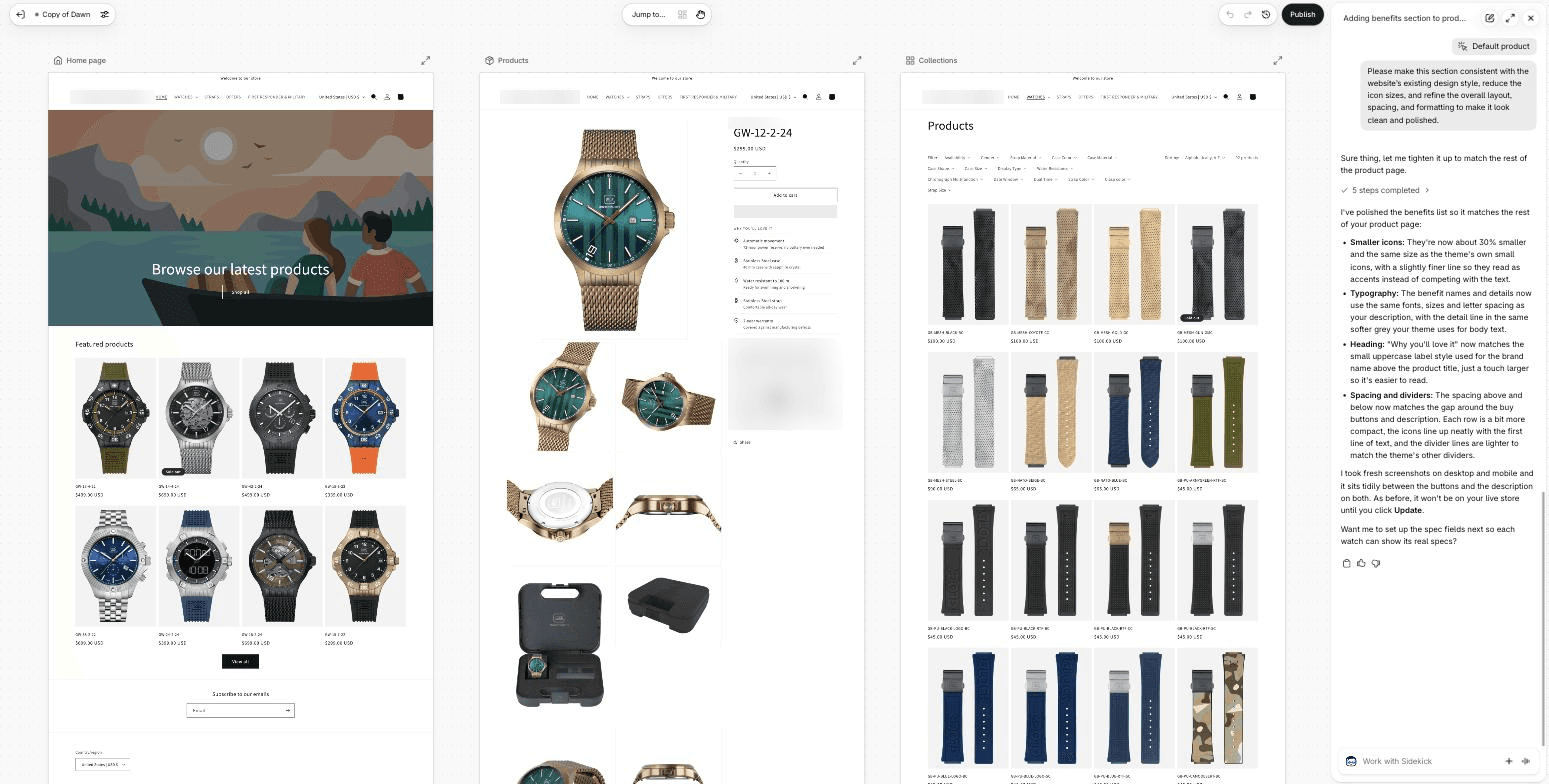
We liked that Sidekick was upfront about what it hadn't checked. On the test model, two rows showed "Stainless Steel" instead of its sample data. Sidekick pointed out that the product probably already had that data filled in and said it hadn't verified it.
Case 3: a checkout shoppers trust (Shopify Plus)
This one is the exception to our data-first approach. For every Shopify Plus store we work with, we recommended the same pre-BFCM change: build more trust into checkout. It's the last step before payment, and the default checkout says very little about the brand at the moment the shopper hesitates most.
We built these additions with Shopify Checkout UI Extensions in a custom app, without installing a third-party checkout app:
Customer reviews next to the order summary.
Delivery, returns and warranty highlights.
The active promo, like a seasonal free-gift message, so shoppers don't leave checkout to look for it.
Loyalty points and a "this is a gift" option.
A small add-on, like gift packaging, right in the order summary.
Why it's a quick win. Shopify renders checkout extensions in its own sandbox, so they're upgrade-safe and low-risk, though they still need testing and maintenance as API versions change. They're managed in the checkout editor and can be switched off without a code release. We proposed it to three Plus clients, and all three approved it.
Screenshot 5. A Shopify Plus checkout with gift packaging, delivery, returns and warranty highlights, and verified customer reviews.
Screenshot 6. A Shopify Plus checkout with a seasonal promo message, loyalty points, a gift option and reviews.
How to prioritize Black Friday quick wins before code freeze
Every finding goes through three questions: how much revenue it affects, how long it takes, and how risky it is to change this close to the peak. The closer you get to BFCM, the more weight risk gets.
Ship now. High impact, low effort, low risk. Content and layout fixes on PDP and collection pages, navigation, trust signals, fixing broken tracking events, removing confirmed unused apps after checking dependencies. Check the affected pages before going live.
Ship with QA on a dev theme. High impact, but it touches the purchase flow: cart, discount logic, shipping rules, checkout UI extensions on Plus. Worth doing, but only with a full test run before going live.
Park until January. Non-essential app installations, redesigns, migrations and major checkout changes. The risk of breaking something during peak traffic outweighs the upside.
Image 7. Pre-BFCM triage: three zones by risk.
Pre-Black Friday checklist for your Shopify store
You don't need a full audit to start. Spend an afternoon on these, and you'll know where your quick wins are:
☐ Funnel: where's the biggest drop between collection, PDP, cart and checkout? Compare mobile vs. desktop.
☐ Traffic sources: compare paid-social conversion by device and landing page. Investigate unusually weak segments for JS errors, in-app browser issues and campaign-to-page mismatches.
☐ Speed: run PageSpeed Insights on your homepage, top collection and top PDP using the mobile tab. Review the lab diagnostics and, where available, field data for LCP, INP and CLS.
☐ Apps: list every app that loads on the storefront. Is each one still used? Does Shopify now do it natively?
☐ Tracking: are purchase and add-to-cart events firing correctly, with consent mode set up? If not, you won't know what worked after the sale.
☐ PDP: watch session recordings on your best-sellers. Are shoppers scrolling for information that isn't there?
☐ Collections: can a shopper narrow down your range in two taps on mobile?
☐ Checkout: does it show reviews, delivery and returns info, and your current promo? On Plus, this can be added with Checkout UI Extensions.
☐ Promo logic: test your planned discounts with real carts: stacking, free shipping thresholds, gift cards.
The point isn't to fix everything. It's to find the two or three things your data says are costing you the most, and fix those first.
What this means for your Black Friday
Black Friday doesn't reward the store with the most features. It rewards the store where nothing gets in the shopper's way. The fastest route there isn't another checklist. It's looking at your own data, finding where you're already losing orders, and fixing that first, natively and with as little risk as possible.
If you're wondering where your quick wins are, get in touch. We'll look at your store's data, show you the two or three fixes worth shipping before code freeze, and QA them on a dev theme before your customers see anything, as part of ourShopify development services.
Rate this article
Share
Related articles
Shopify Canvas review: we tested the AI editor on a real store copy
By Jack Ananchenko|Oct 8, 2026·7 min read
Expert Article
eCommerce & Retail
Front-end
Shopify
eCommerce Platforms
Digital Design
AI & Automation
Back-end
Development
Ecommerce
Custom Software
Shopify Development
Case Study: How AI Reduced Development Time in eCommerce Projects
By Jack Ananchenko|Aug 6, 2026·5 min read
Expert Article
Front-end
Back-end
Development
Ecommerce
Custom Software
How Much Does Custom Software Development Cost in 2026?