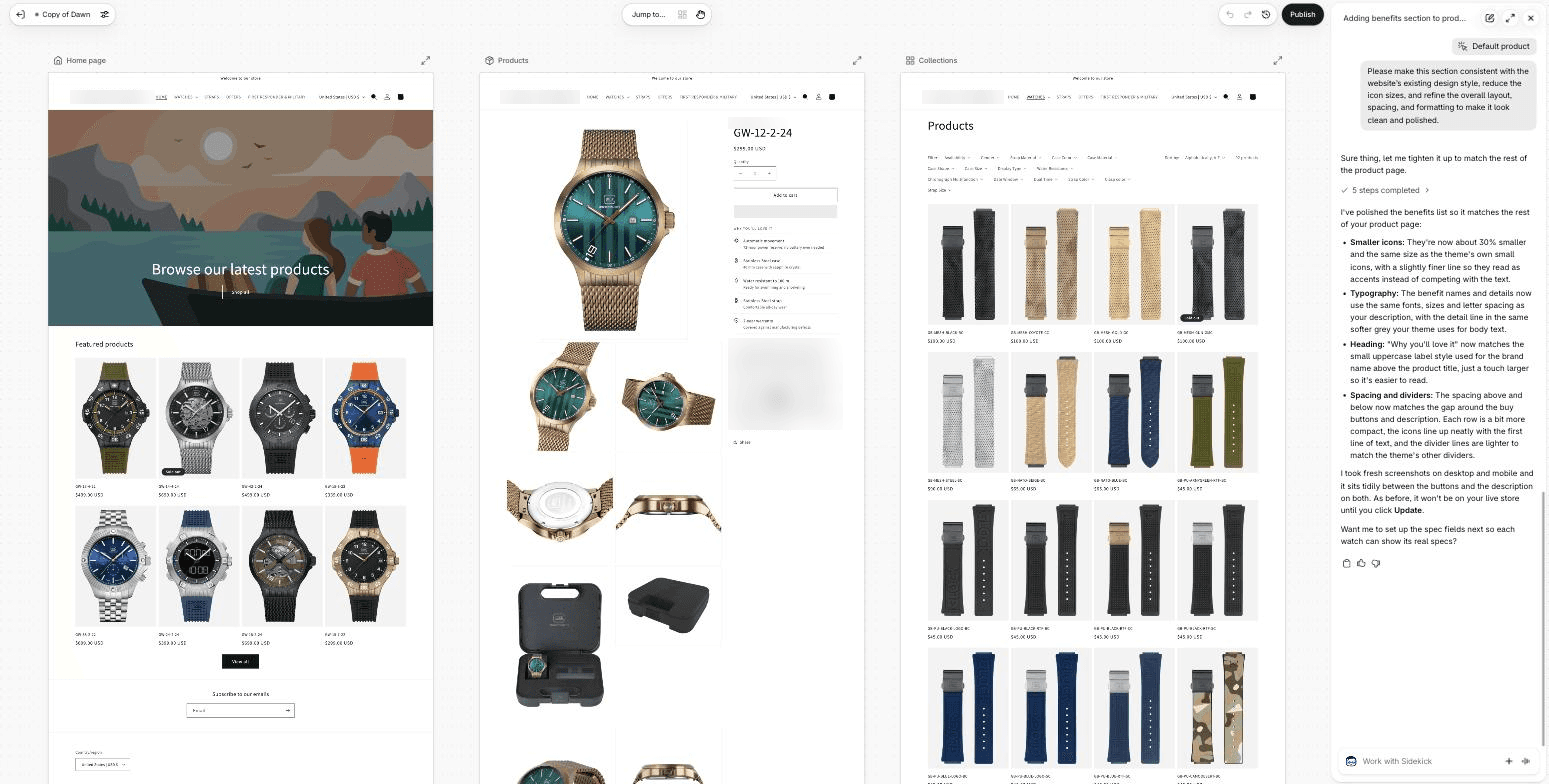
Shopify Editions Fall ’26 is Shopify’s fall 2026 product release, announced on October 28 under the name "Exponential". Shopify bills it as more than 150 updates, from checkout inside Google AI Mode to new fraud and chargeback tools. The Editions page itself has 222 feature cards, 57 of them for developers. Many are still rolling out, and some will arrive only after Black Friday and Cyber Monday (BFCM).
We went through every card on the Editions page and the help docs behind them, and left out most developer updates and features for a single country or carrier. For each change below we say who gets it, its status as of October 29, 2026, and what to do before Black Friday on November 27. All figures are Shopify’s own.
In short
Shopify changed how it counts sessions on September 21–23, so conversion rate can move while sales stay the same. Compare this BFCM with last year’s by orders, sales and average order value.
Two tools for the season are already live. For stores on Shopify Payments, Shopify Protect blocks the riskiest payments before they become orders and adds an AI-written defense to each chargeback. Rollouts schedules a whole sale (theme, discounts and prices) and switches the store back on its own.
Custom checkout fields arrive only after BFCM. Canvas, Sidekick’s batch edits and AI-tested recommendations are in early access for some stores.
Shopify Analytics: sessions are counted differently
Who it affects: every store, automatically.
Between September 21 and 23, 2026, Shopify changed how it counts sessions (Shopify help center):
bot sessions that Shopify can identify are filtered out by default;
a session no longer ends at midnight UTC, only after 30 minutes of inactivity;
some visits without a page view are now counted, for example a shopper who goes from a cart link straight to checkout.
Sessions, conversion rate, add-to-cart rate and other visit metrics can move, while orders, sales and customer counts stay the same. Shopify doesn’t say by how much, the direction differs from store to store, and past data isn’t recalculated.
So this year’s sessions and conversion rate can’t be compared like for like with BFCM 2025. Compare orders, sales and average order value instead. Bot filtering covers sessions from October 7, 2025, so you can apply the same "Human or bot session" filter to both periods, but the other two changes don’t apply to old data. Live View always hides bots, so don’t compare live visitor counts with last year’s.
Marketing reports changed too. "Performance by marketing channel" now includes all online store traffic, so its totals may be higher than before, and since October 18 channels use new names, such as X instead of Twitter. Three attribution reports are deprecated. If your campaign tracking uses auto-match rules in Marketing > Campaigns, ask whoever set it up to update them (Shopify help center).
Image 1. The marketing channel report now includes all online store traffic, split by traffic type. Image: Shopify.
Before the sale, add annotations for your campaign dates: they mark events on the report timeline, so later the team can see why a number jumped. They’re hidden until you turn on "Show annotations" in a report.
Shopify Protect: risky payments blocked before they become orders
Who gets it: stores on Shopify Payments. If cards go through another provider, the blocking, evidence and AI defense don’t apply.
Shopify Protect used to be the name of Shopify’s chargeback cover for Shop Pay orders in the US. Now it covers all of Shopify’s fraud and dispute tools, and Shopify says a lot of it works automatically at no extra cost (Shopify blog).
When Shopify is nearly certain a payment is fraud, checkout declines it before it reaches the bank, and no order is created. Blocked attempts appear in Orders > Abandoned checkouts > Blocked. Show this view to your support team: if a real customer can’t get through checkout, staff can send them a draft order invoice.
Orders that get through come with a plain-language explanation of the risk.
For each card chargeback, Shopify attaches evidence, such as tracking and, for some carriers like FedEx, the delivery photo, and adds a defense written with AI. The defense is on by default and is submitted on the due date even if you add nothing. If you use a dispute app or your own process, decide whether to keep the "Include Shopify-generated insights to strengthen case" option on, so the AI text doesn’t contradict your evidence.
Shopify says merchants have seen up to 1.6x higher dispute win rates by category.
US stores already get fraud chargeback coverage on eligible Shop Pay orders, but changing the shipping address after checkout cancels it, which matters if support edits addresses during BFCM. Coverage for other orders has been announced, with no dates or terms yet. A new app, Shopify Protect: Rule Builder, lets you write your own fraud rules and test them on the last 90 days of orders. It costs $0.07 per screened transaction, with access through a waitlist (Shopify App Store).
Image 2. Shopify Protect now covers all of Shopify’s fraud and dispute tools. Image: Shopify.
Rollouts: schedule a whole sale and switch it back automatically
Who gets it: scheduling on the Basic plan and higher, A/B tests on Grow and higher. Vintage themes (older themes not built on Online Store 2.0) aren’t supported.
Rollouts is Shopify’s built-in tool for planning store changes in advance. It first appeared in the Winter ’26 Edition, and this fall it added discounts (October 2) and market catalogs with their prices (October 23) to theme and checkout changes (Shopify help center). A Launch goes live at a set time and stays, an Event switches back when it ends, and an Experiment A/B-tests the new version against the current one.
For Black Friday, you can prepare the sale theme, discounts and prices in advance and schedule them as one Event in Markets > Rollouts. When it ends, the online store returns to normal on its own. Shopify POS and product feeds such as Google switch back on their next sync, so they can show sale prices for a short while. Check each discount’s own start and end dates too: they apply independently and can keep a discount active outside the Event.
What to check first:
Prices go in a separate catalog. A market catalog is a price list for a market, set up in Markets. A rollout only switches a catalog between Active and Draft, and price edits inside a catalog save immediately. So create a separate BFCM catalog with the sale prices, leave it in Draft and let the rollout turn it on and off.
Experiments on part of your traffic run only on the online store. If an experiment shows a different price than your Google or Meta feed, those channels can delist the products. Shopify recommends 100% traffic or pausing ads for those products.
A release freeze for developers. While a rollout with theme changes is scheduled or running, your developers can’t publish another theme from the Shopify CLI or an app. Publishing from Online Store removes the rollout’s theme changes after a warning. Agree on the release schedule for the season.
Experiments can replace a separate testing app for simple A/B tests, but Shopify’s help docs don’t mention statistical significance, and results count only visitors who accepted cookies. For ongoing conversion rate optimization, a dedicated tool still helps.
Image 3. A BFCM event in Rollouts: theme, catalog, discount and checkout changes scheduled for November 27–30. Image: Shopify.
Shopify checkout: tiled payments now, custom fields after BFCM
Who gets it: shoppers in every store. The full set of custom fields is Shopify Plus only.
Payment methods as tiles. Since October 22, Shopify has been moving checkout to compact tiles for payment options instead of a list with radio buttons. Tiles appear when the payment methods meet certain criteria, including having four or fewer of them; otherwise the list stays (Shopify changelog). Place a test order to see which view your shoppers get.
Apple Pay outside Safari. Today Apple Pay on Shopify works only in Safari. Shopify says support for other browsers is coming soon: on a computer with Chrome, Edge or Firefox, shoppers will pay by scanning a QR code with their iPhone. A more compact form and a thank-you animation are also announced, with no dates yet.
Image 4. Payment methods shown as tiles in checkout. Image: Shopify.
Custom fields come later. Every plan will get Delivery instructions and Gift message fields without an app, and Shopify Plus will also get text fields, date pickers, checkboxes and choice lists. Shopify says the fields won’t be released before or during BFCM (Shopify help center). If an app collects gift messages today, plan the switch for after BFCM and turn off the app’s field at the same time, so shoppers don’t see it twice.
Image 5. Adding a Delivery instructions field in the checkout and accounts editor. Image: Shopify.
Who gets it: checkout in Google is rolling out for buyers in the US, Canada and Australia; the store can be based anywhere. The three settings below apply to every store.
Shopify Catalog is the product database that AI assistants such as ChatGPT, Copilot and Gemini use to find products from Shopify stores.
Shopify is starting to let shoppers buy in Google Search AI Mode and the Gemini app without leaving the chat. Checkout runs on Shopify, and the order lands in your admin (Shopify help center).
You need a Google Merchant Center account, products eligible for Shopify Catalog and your store policies filled in. For eligible stores, checkout in the chat is on by default (Sales channels > Agentic).
Subscription-only products, bundles, customizable and B2B-only products can’t be bought this way.
Google Analytics and browser pixels don’t fire on these orders; only server-side "checkout started" and "checkout completed" events are sent. Browser-based tracking won’t record these sales, so reported ROAS may be lower unless server-side tracking captures them. Check these orders in Shopify’s reports. Upsells, loyalty widgets and trust badges from checkout apps may not appear.
Check three settings in Sales channels > Agentic > Sources now:
Shopify Catalog eligibility. The admin now shows whether your store qualifies and what to fix if it doesn’t. Some categories never qualify, such as alcohol and vaping.
Knowledge base. These are the facts AI agents get about your store, such as return window, shipping and contact details. Shopify drafts them from your storefront. Facts from admin settings, such as policies, are published automatically, and the rest wait for your approval. If you used the separate Knowledge Base app, its facts were moved over for you, unless you had more than 1,000; in that case, add the ones you need before the app stops working on January 15, 2027.
Compare-at prices. Since October 9, AI agents receive your compare-at price and can show a product as marked down. Products with a permanent compare-at price higher than their current price may appear discounted in AI chats. To show only the current price, set List price to Price in Shopify Catalog > Review product data mapping. If you sell in the EU, check this with your legal team: under the EU price-reduction rules (the Omnibus Directive), a shown discount has to be based on the lowest price of the previous 30 days.
Image 6. The knowledge base shows the facts AI agents get about your store, such as your return policy. Image: Shopify.
Who gets it: Sidekick is included in your Shopify plan, but features and limits vary by plan. Some features are in early access for certain stores only.
Shopify calls this a rebuilt Sidekick. The AI assistant in the admin now handles multi-step tasks, can forecast or compare store data, searches the web and remembers your preferences. It shows changes for your approval before applying them.
GIF 1. Sidekick researches trends, creates a discount and builds a holiday collection. Animation: Shopify.
Available now:
Draft orders. Sidekick fills in a draft order and marks what it added. Nothing is saved until you click Save.
Shopify Payments questions. Sidekick shows your chargeback rate, chargebacks by reason and whether they triggered a payout reserve.
In early access:
Store changes. One request becomes up to 50 edits in one batch, for example new descriptions for every product in a collection. Published changes can’t be undone automatically, so review them first.
Recommendations "Tested by Sidekick". Sidekick builds an improvement in an unpublished copy of your theme, and SimGym, Shopify’s tool with simulated AI shoppers, compares it with the live theme. These are simulations, not tests with real customers. The copy is a Canvas theme, made in Shopify’s new AI editor. The Canvas copy doesn’t receive theme updates, and app blocks or app embeds, such as review, upsell or loyalty widgets, can’t be added or configured in it. Publishing it makes that copy your live theme.
Image 7. A recommendation marked "Tested by Sidekick" after a SimGym simulation. Image: Shopify.
Canvas itself is still in early access and desktop only. As of October 29, every limit from our Canvas review of October 8 still applies, including no support for app blocks, which a Shopify team member said on October 1 was planned "within the next few weeks".
We’d use Sidekick for drafts, questions and bulk edits that a person reviews, and test design changes on a copy of the theme with a developer review before they go live, as part of regular Shopify theme development.
Campaign Autopilot and WhatsApp messages
Who gets it: Campaign Autopilot, eligible stores on all plans except Agentic. WhatsApp marketing, messages to shoppers in supported countries outside the US.
Shopify says Campaign Autopilot is now available to all merchants. You set a monthly budget and guardrails, and it runs campaigns across Shopify Messaging email, Shop Campaigns, Meta, Microsoft Advertising and Snapchat.
Autopilot is free, but you pay for what it runs: ad platforms bill ad spend directly, and email and Shop Campaigns are charged at Shopify’s rates (Shopify help center). The budget is a target, not a hard cap, and Meta campaigns from Autopilot use a separate product catalog, so agree with your media buyer how they fit with your current campaigns.
Image 8. Campaign Autopilot in the Shopify admin. Image: Shopify.
The Shopify Messaging app can now send automated WhatsApp messages when a shopper leaves a product page, a cart or checkout, and checkout can collect WhatsApp marketing consent. You pay per message, for example $0.248 for a marketing message in Germany and $0.106 in the UK (Shopify help center). Meta has to approve each template, which can take up to 24 hours, and a new account can send up to 2,000 messages a day, so set this up well before Black Friday (Shopify help center).
Shopify Messaging also offers a ready-made BFCM email series for a limited time. It goes to all email subscribers, and the audience can’t be changed.
Selling internationally: duties, payments and returns
Who gets it: depends on the country, see each item.
All-in prices with flat-rate shipping. Shopify Managed Markets, where Shopify handles duties and taxes on international orders, can now show one local price with duties included plus flat-rate shipping (since October 24). Shopify reports over 50% higher international conversion for businesses that turned on both (Shopify). It’s for businesses in the continental US and some stores in Canada and the UK; brands based in the EU can’t use it yet.
Shop Pay next to your current card provider. Stores that keep a provider such as Adyen or Braintree can add Shop Pay and local payment methods through Shopify Payments. If your provider declines a card, Shopify Payments retries it, and this can’t be turned off. These payments cost standard Shopify Payments rates plus 1.25% (Shopify help center). Shopify Plus stores with a contract can request it in early access.
New local payment methods. Shopify Payments now supports methods including Satispay (Italy), Scalapay installments (nine eurozone countries) and MB WAY (Portugal). Each is turned on manually.
Return windows by collection. A collection or product can get its own return window, shorter or longer than your default. Shopify’s example is 14 days for a seasonal collection while the store default stays 90, and holiday gifts can just as well get a longer window. Changes apply only to future orders, so set them before the sale.
Translations that stay current. Translate & Adapt, Shopify’s free translation app, now lets stores in the US, Canada and 12 European countries translate into up to 8 languages instead of 2 and re-translate new and edited content every week. Auto-sync is off by default, and legal policies aren’t translated automatically.
Image 9. With all-in pricing, the price a shopper sees already includes duties and taxes. Image: Shopify.
The new Shopify admin and tools for your team
Who gets it: every store, rolling out gradually.
A new admin design has been rolling out since September 15, with search in the side menu and Sidekick as a floating chat on every page. There’s no way to switch back, so update your staff guides.
Store activity log. It shows who changed what: a staff member, a collaborator, an app or Shopify itself. It keeps entries for 18 months, starting from when the new log began recording, and they can’t be exported (Settings > General > Store activity log).
Automated policies. Since October 8, Shopify can write your return, shipping, terms and contact policies from your settings and keep them in sync. Turning this on replaces your current text and, for languages where Shopify has a template, your custom translations. Save your current wording first: Shopify notes the templates aren’t legal advice.
Shopify Flow permissions. Since October 28, staff need admin permissions for every step of a workflow to test it, turn it on or apply changes; without them they can only save drafts. Workflows that are already on keep running. Check this for whoever sets up your sale automations (Shopify changelog).
A new variant editor arrives in December 2026, mid-season, so warn the team that the product page in the admin will look different.
GIF 2. The new Shopify admin, with Sidekick on every page. Animation: Shopify.
App deadlines in 2027: script tags and access tokens
Who it affects: every store with older apps.
Script tags. Apps can no longer add new script tags, a legacy way of loading code on the storefront, and on March 1, 2027, Shopify stops running them. Review widgets, pop-ups or tracking from apps that haven’t migrated will disappear, and for now Shopify isn’t showing merchants a warning (Shopify developer docs). If an admin-created custom app loads storefront code through script tags, ask its developer to move that code into the theme or build a replacement.
App access tokens. App Store apps must update how they connect to your store. Those that don’t are removed from the App Store on January 1, 2027. Installed apps keep working for now, but from April 1, 2027, Shopify will reject their requests to your store data. Custom apps aren’t affected.
Put both on the January plan: list every app that loads on the storefront, ask each developer about their migration, and test the store after the updates.
What to use before Black Friday and what to leave for January
How we’d sort the Fall ’26 updates for a typical store before code freeze:
Use now:
annotations for your BFCM campaign dates;
a Rollouts event for the sale theme, discounts and a BFCM catalog, tested on a theme copy first;
Shopify Catalog eligibility, the knowledge base and compare-at prices in Sales channels > Agentic > Sources;
WhatsApp templates and the BFCM email series, if you plan to use them.
Check before BFCM:
a new baseline for sessions and conversion rate, shared with everyone who reads the reports, including your media buyer;
the AI chargeback defense, if you use a dispute app, and the Blocked view for support;
Shopify Flow permissions and return windows for seasonal and gift collections.
Leave for January:
custom checkout fields, which won’t arrive before BFCM anyway;
Canvas and "Tested by Sidekick" drafts on the live theme;
changes to your payment setup;
the app audit for script tags and access tokens.
What this changes
Many tasks that used to need a third-party app or a developer are now handled by Shopify itself: blocking risky payments, chargeback responses, scheduled sales, translations, store policies and product data for AI channels. That can mean fewer apps to pay for and fewer manual steps.
Much of it is also on by default: checkout in Google AI Mode, compare-at prices for AI agents, the AI chargeback defense and bot filtering in analytics. Before BFCM, check these settings and reset your report baselines. In January, audit your apps for the 2027 deadlines.
If you want to know how the Fall ’26 Edition affects your store, get in touch. We’ll check your analytics, apps and theme against these changes, set up what’s worth using before Black Friday as part of our Shopify development services, and plan the rest for January.
Rate this article
Share
Related articles
Black Friday Quick Wins for Shopify Stores: Why Your Data Beats Any Checklist
By Jack Ananchenko|Oct 28, 2026·7 min read
Expert Article
eCommerce & Retail
Front-end
Shopify
eCommerce Platforms
Digital Design
AI & Automation
Back-end
Development
Ecommerce
Custom Software
Shopify Development
Shopify Canvas review: we tested the AI editor on a real store copy
By Jack Ananchenko|Oct 8, 2026·7 min read
Expert Article
eCommerce & Retail
Front-end
Shopify
eCommerce Platforms
Digital Design
AI & Automation
Back-end
Development
Ecommerce
Custom Software
Shopify Development
Case Study: How AI Reduced Development Time in eCommerce Projects