Stellar SEO App: A Free Shopify Audit with Clear, Prioritized Fixes

We built a free Shopify app that checks storefront pages, scores their SEO health, and turns findings into practical next steps. Merchants can identify what needs attention, make changes in Shopify, and re-scan individual pages to check the result.

Founder jack avatar

Reviewed by: Jack Ananchenko, Co-founder, CEO

Sep 28, 20265 min read
page_1

Stellar SEO App

In-house product · Shopify · E-commerce · SEO & Store Performance

The Essentials

Shopify App Development

Automated Storefront Audits

Page-Level SEO Scoring

Mobile & Desktop Performance Checks

Prioritized Issues with Fix Guidance

Free, Self-Service Access

Tech Stack

RemixReactShopify PolarisPrismaPostgreSQLShopify Admin APIGoogle PageSpeed Insights APIVercel

Why We Built a Free SEO App for Shopify Merchants

SEO maintenance often falls between teams. Developers focus on features, merchants manage their catalogs, and missing metadata or slow pages can remain unnoticed until someone runs an audit.

For small and mid-size stores, recurring agency audits can be difficult to justify. Even when an audit is available, its findings still need to be translated into specific changes in Shopify.

We built Stellar Soft SEO App to make that process easier. Merchants can run an audit from their Shopify admin, see which pages need attention, and understand what to change. When a fix requires theme or performance work, the same report gives developers a clear starting point.


What the App Checks Across Your Storefront

The audit covers four areas, combining storefront checks with performance measurements:

  • On-page metadata. Page titles, meta descriptions, and duplicate titles across scanned pages.

  • Content structure. H1 headings, heading order, and missing image alt text.

  • Technical signals. Canonical URLs, robots directives, and social preview tags.

  • Page performance. Loading performance and layout stability, measured through Google PageSpeed Insights on mobile and desktop.

    Each finding includes an explanation and a recommended next step, helping merchants move from identifying an issue to addressing it.

Inside the Audit at a Glance

5

Page Types

Homepage, products, collections, pages, and blog articles — discovered automatically, without assembling a URL list.

2

Device Views

Mobile and desktop performance measurements for each scanned page, powered by Google PageSpeed Insights.

1

SEO Health Score

A combined score out of 100 for each page, plus a store average to help merchants prioritize their work.

The Challenge: Turn SEO Findings into Shopify Actions

The goal was to make an audit useful to someone who manages a store without being an SEO specialist.

A low score alone does not explain what to fix. A URL alone does not identify the relevant Shopify record. And a long list of warnings does not help a merchant decide where to start.

The app needed to connect these pieces: find storefront pages, assess them, prioritize issues, and explain where changes belong. It also needed to distinguish everyday content edits from work that requires a developer.

The Requirements That Shaped the App

  • Work inside Shopify. Merchants should be able to use the audit from their existing admin, with a familiar interface.

  • Check the live storefront. Saved Shopify data does not always match what a theme outputs, so the audit also checks storefront HTML.

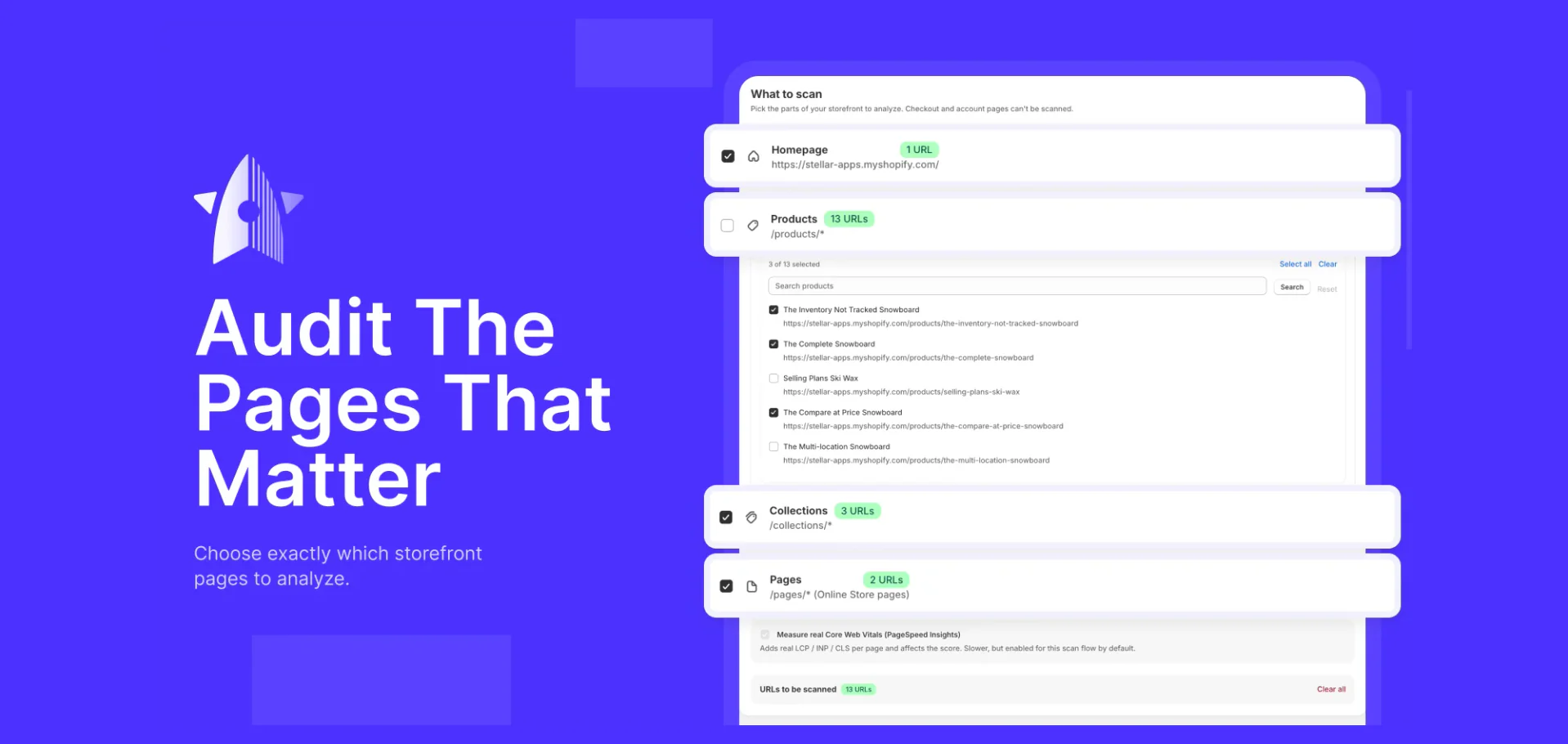
  • Make scan scope clear. Merchants can choose supported page types and individual products. Checkout and account pages are excluded.

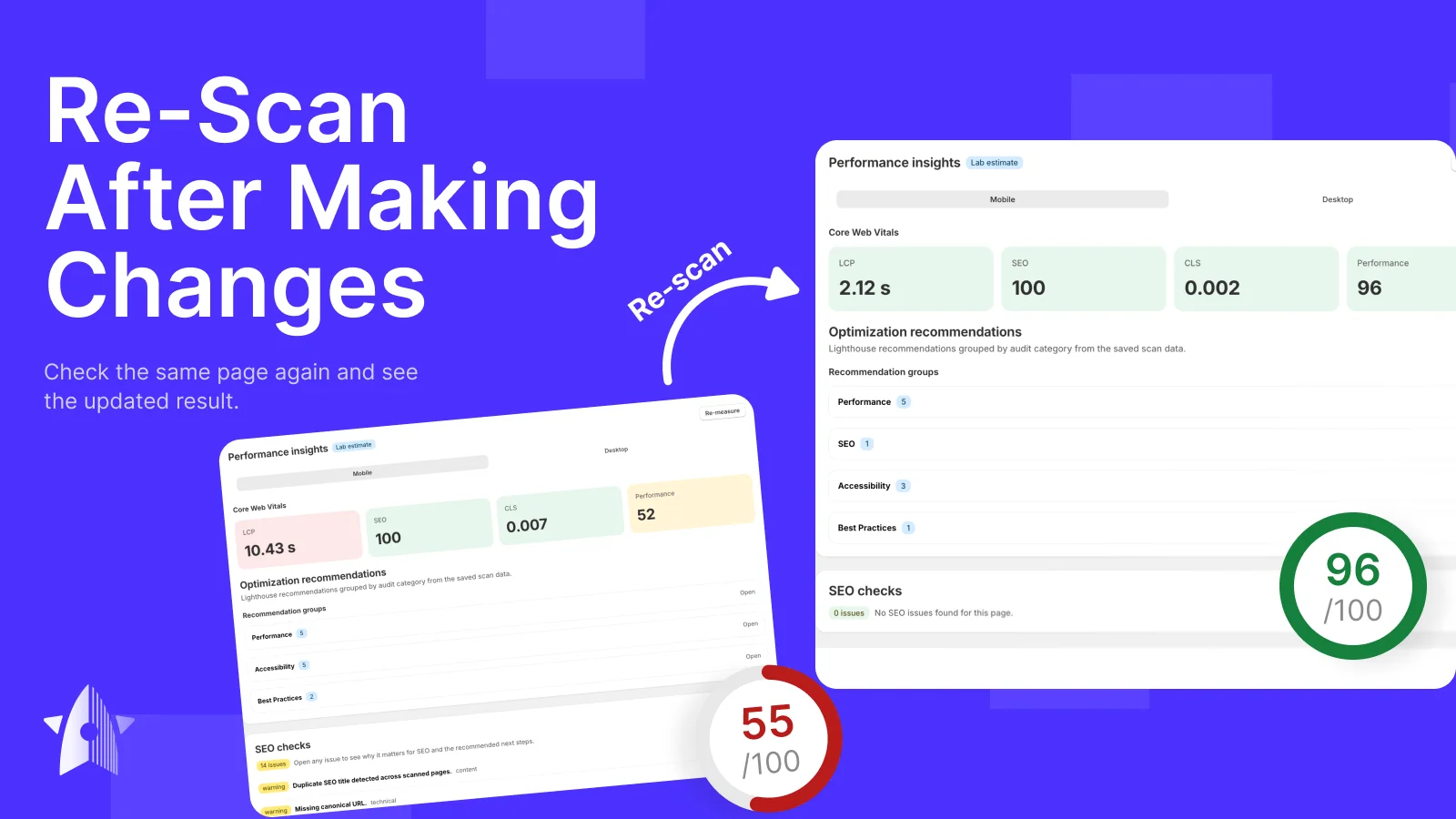
  • Support repeat checks. After making a change, merchants should be able to re-scan the affected page without repeating the entire store audit.

  • Handle public-page access. Password-protected storefronts limit what an external audit can see. Manually entered public URLs provide an additional scan input.

From an Issue List to a Clear Next Step

Three capabilities make the report practical for day-to-day store maintenance.

Automatic Page Discovery

The app finds supported storefront pages through Shopify, reducing the preparation needed before a scan.

Shopify-Specific Guidance

Findings explain what is wrong, why it matters, and which Shopify field or storefront component needs attention.

Targeted Re-Scans

Merchants can check an individual page after editing it and see how its score and issue list have changed.

The Solution: A Repeatable Audit Inside Shopify Admin

How Merchants Use the App

  1. Install the app. Access the audit from Shopify admin, without editing theme code to set it up.

  2. Choose what to scan. Select supported page types or individual products from the pages the app has discovered.

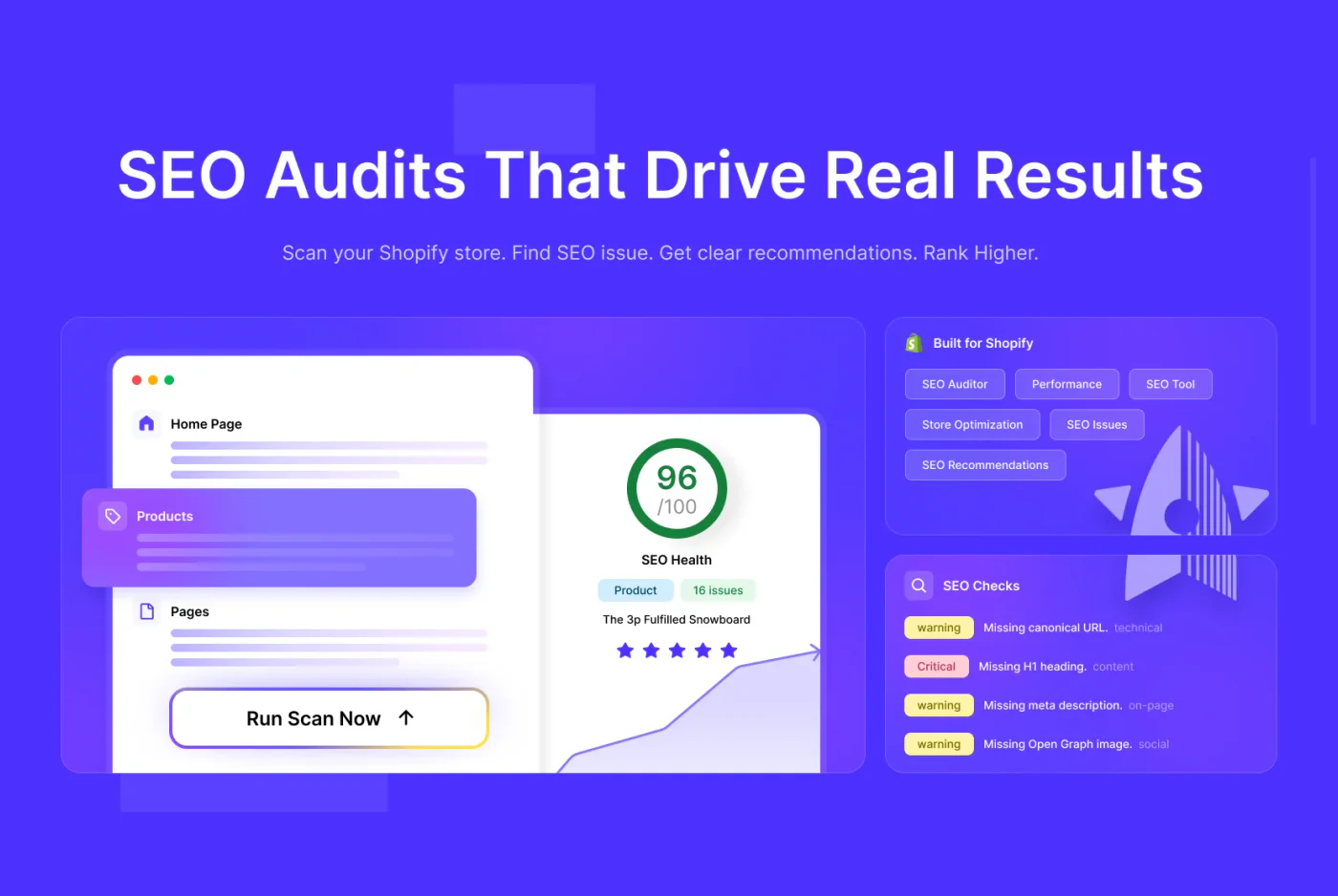
  3. Review the priorities. Use page scores, issue counts, and severity labels to decide what needs attention first.

  4. Make or assign the fixes. Update titles, descriptions, and alt text in Shopify. Share theme and performance findings with a development team.

  5. Re-scan the page. Check the page after making changes and review its updated score and remaining issues.

Stellar Soft SEO App brings page discovery, performance measurements, and SEO checks into one workflow.

The report lists scanned pages with their type, issue count, and score. Merchants can sort and filter the results, then open a page to inspect individual findings. Severity labels help distinguish critical issues from warnings.

The workflow continues after the report is generated. Merchants make the changes they can handle themselves, assign technical fixes to developers, and re-scan the relevant pages to verify the outcome.

One Report for Merchants and Developers

Many findings can be addressed through routine content updates: a missing description, an unclear title, or an image without alt text.

Other issues require changes to templates, theme behavior, or page performance. The report gives the development team the affected page and a description of the problem, making the work easier to assign.

This gives both sides a shared workflow: identify the issue, make the change, and run the check again.

How We Built the Audit

A Familiar Shopify Interface

The app uses Remix with Shopify’s app framework, React, and Polaris UI. This keeps the interface consistent with the admin environment merchants already use.

Shopify Data and Live Storefront Checks

The Shopify Admin API provides page discovery. Google PageSpeed Insights supplies mobile and desktop performance measurements, while separate checks inspect the live storefront HTML.

Checking the storefront helps identify cases where a saved title, heading, or other field is missing or different in the theme’s output.

Order Approvals: Draft Orders Plus Payment Rules

Order approval is a typical B2B mechanism that would normally require a custom service for managing statuses. Here, it is built from two native components.

Payment Customization adds an approval requirement based on predefined rules. The customer submits the order for approval, Shopify creates it as a draft, and the seller’s team confirms it.

Separate rules determine which payment methods are available at this stage. There is no custom state database and no worker - both parts are handled by platform-native mechanisms.

Saved Results and Repeat Scans

Results are stored using Prisma and PostgreSQL on Neon, allowing merchants to compare scans over time. Individual pages can be re-scanned after changes, keeping follow-up checks focused.

Working Around Password-Protected Storefronts

A password-protected development store exposes its password screen to external audit tools rather than the underlying storefront.

We added support for manually entered public URLs as an alternative input. This also allows the audit to be used on other publicly accessible pages.

Stack

  • Application: Remix, Shopify app framework, React, Shopify Polaris.

  • Data storage: Prisma, PostgreSQL on Neon.

  • Integrations: Shopify Admin API, Google PageSpeed Insights API.

  • Hosting: Vercel.

What the App Delivers — and What Comes Next

A Self-Service Audit Workflow

Merchants can discover supported storefront pages, review prioritized findings, and check individual pages again after making changes. The app brings the audit into Shopify and connects each finding with a practical next step.

A Shared Basis for Technical Work

The report helps separate content updates from tasks that need development support. Merchants can handle straightforward edits themselves and pass technical findings to their team.

Planned Improvements

The roadmap extends the audit with:

  • Store-wide duplicate checks for repeated titles and descriptions across the full catalog.

  • Screenshots in reports to show the page associated with a finding.

  • Suggested copy for titles, meta descriptions, and image alt text.

  • Deeper page analysis after theme scripts have run.

Install our SEO App here!

  • linkedin
  • x
  • facebook
  • Clutch
  • Upwork
  • Reddit

Ran the Scan and Need Help with the Fixes?

Some findings are simple content edits. Others need changes to theme performance, templates, or storefront structure. Share your store URL and the issues you found, and we’ll help you scope the work.


Jack ananchenko

Jack Ananchenko

CEO and Co-founder

Vladimir gubarev

Vladimir Gubarev

COO and Co-founder

By submitting this form, you agree to our Privacy Policy and Terms Conditions.

See What Else We've Built